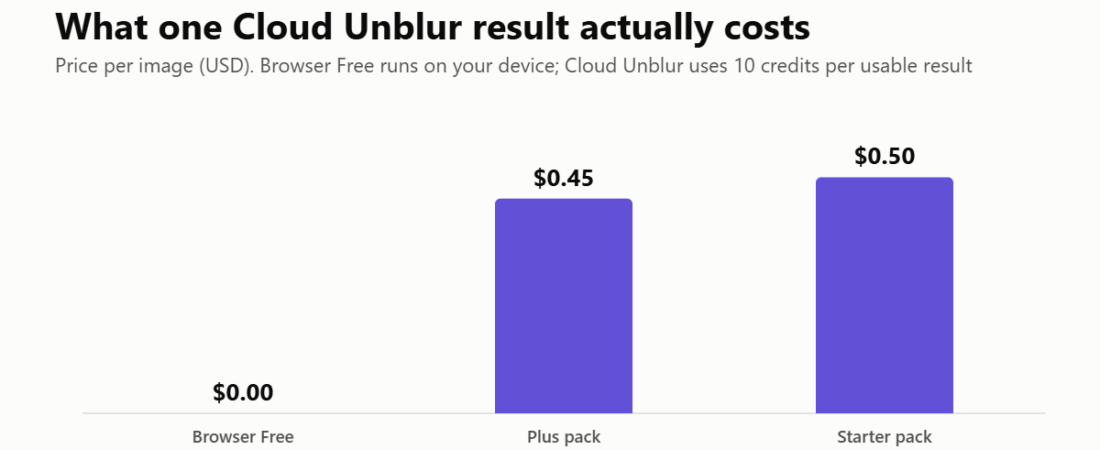
Sharpniq Unblur Image Review 2026: Free In-Browser Deblurring, and When the 50-Cent Cloud Pass Is Worth It
How this review came about: Sharpniq submitted its tool to DailyAIPedia for editorial consideration. This is not a sponsored placement, we were not paid, and we hold no.

How this review came about: Sharpniq submitted its tool to DailyAIPedia for editorial consideration. This is not a sponsored placement, we were not paid, and we hold no affiliate link for it — the outbound links below are unpaid and marked nofollow. It is also not a hands-on test: we read features, limits and prices off Sharpniq’s own homepage, pricing page and refund policy on 16–17 October 2026, and we have not run our own photos through it. Prices are in US dollars.
Sharpniq Unblur Image, which lives at unblurimage.me, does one job: it tries to make a blurry photo clearer. What makes it worth a look in a very crowded category is where it does that job. The free mode, Browser Free, downloads a small AI model into your browser and processes the image on your own device, with no upload, no sign-in and no credits. An optional Cloud Unblur mode handles larger files on Sharpniq’s servers for 10 credits a result.
The other thing that sets it apart is tone. Most unblur sites promise to rescue any photo. Sharpniq’s own pages say plainly that missing detail may not be recoverable, that artefacts can appear, and that its before-and-after samples are hand-picked rather than average results. That restraint is the best reason to trust what else it says.
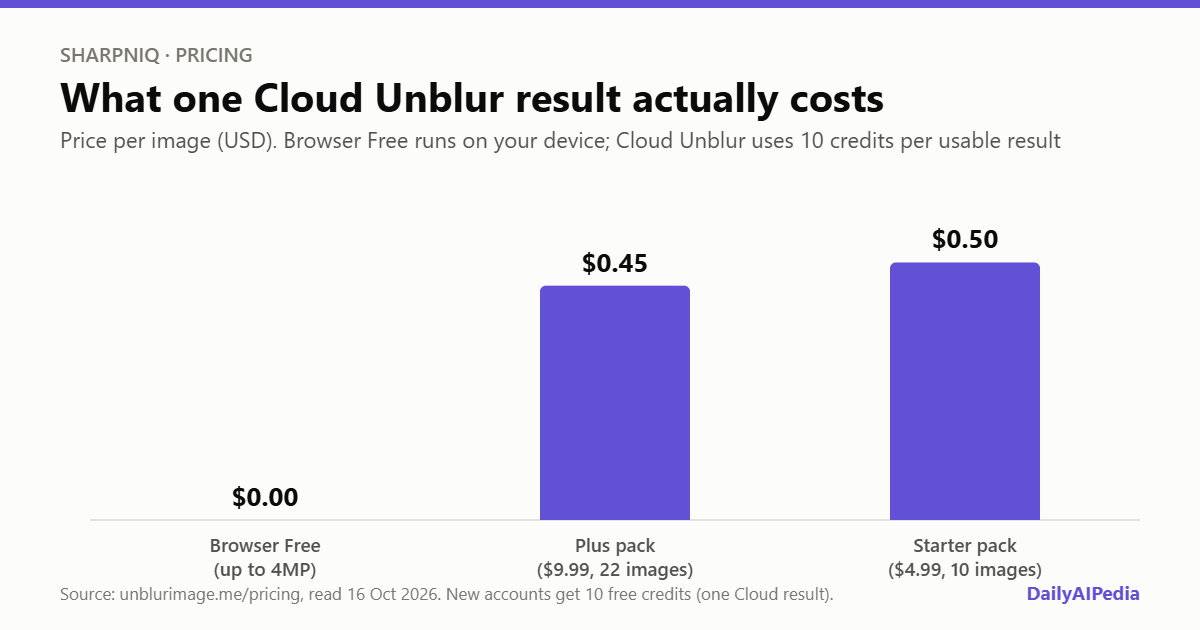
Sharpniq pricing, with the limits that matter
| Option | Price | Credits | Cloud results | Per image | Max resolution | Sign-in |
|---|---|---|---|---|---|---|
| Browser Free | Free | 0 used | — (runs on device) | $0 | 4 megapixels | Not needed |
| Welcome credits | Free on a new account | 10 | 1 | $0 | 12 megapixels | Required |
| Starter pack | $4.99 one-off | 100 | 10 | $0.50 | 12 megapixels | Required |
| Plus pack | $9.99 one-off | 220 | 22 | $0.45 | 12 megapixels | Required |
Packs are one-time purchases, not subscriptions, and purchased credits do not expire. Every mode accepts one image per task, under 10MB, in JPG, PNG, WebP, AVIF, static GIF, HEIC/HEIF, TIFF, BMP or SVG. Results download as PNG. There is no unlimited plan and Sharpniq says it does not advertise one.
Browser Free is the real product
For most people the free mode will be enough, and it is the part we would lead with. Your photo never leaves the tab: nothing is uploaded, nothing needs an account, and refreshing the page clears the result. That matters for exactly the photos people most want to fix — family pictures, a child’s school play, a screenshot of a document — which are also the ones you should be wariest of handing to an unknown server.
The trade-offs are practical rather than hidden. The first run downloads about 33MB of model files, so do it on Wi-Fi. Speed and output size depend on your device, and there are three settings (Auto, Fast and High Quality Local), with Auto choosing safe settings for the hardware it finds. And the cap is 4 megapixels, which is roughly 2,450 × 1,630 pixels — fine for a phone photo shared online, too small for a full-resolution file from most modern phone cameras. Sharpniq does not resize oversized images for you, so you will need to downscale first.
When the 50-cent cloud pass is worth paying for
Cloud Unblur raises the ceiling to 12 megapixels and takes the work off your device. You see the 10-credit cost before it starts, the credits are only held while it runs, and they are consumed only if a usable result comes back; timeouts and failures restore them automatically. A browser failure never quietly falls through to a paid cloud run, which is a small detail that says a lot about how carefully the billing was thought through.
It is worth paying for in two cases: a photo too large for the browser limit that you do not want to downscale, or a low-powered phone that struggles with the local model. For everything else, try Browser Free first. Cloud originals and results are scheduled for deletion after 24 hours, and there is a page to request earlier deletion.
What it can and cannot fix
On Sharpniq’s own account, the realistic targets are mild motion blur, soft focus, missed autofocus and compression blur, where the tool can strengthen edges and local contrast. Heavy motion blur, extreme defocus and detail that was never captured are a different matter, and it says so. It also lists what it does not support: batch uploads, animated or multi-page files, HD or 4K output, video, and specialised text recovery, old-photo restoration or face restoration.
That last list is the one to read before you buy credits. If your problem is an illegible receipt, a faded family portrait or a face that needs rebuilding, this is the wrong tool — and Sharpniq is telling you so rather than taking 50 cents to find out. Its guidance to judge the result by inspecting faces, text and fine patterns for invented texture, rather than by how sharp it looks, is good advice for every AI enhancer.
Refunds and terms
Failed processing and paid refunds are handled separately. Failed tasks restore credits automatically. For money back, Sharpniq may consider requests within 14 calendar days where the purchased credits are unused, plus duplicate or unauthorised charges and credits that never arrived. Change-of-mind refunds are normally unavailable once you have used any credits from a pack, and a result you simply dislike is not automatically refunded. Billing requests get a reply within three business days; payments run through Stripe or Creem.
Who should try it
Sharpniq is a sensible first stop for anyone with an occasional soft or shaky photo, especially a private one. Start with Browser Free on a downscaled copy and compare the before-and-after slider closely. Spend credits only if the file genuinely needs the 12-megapixel ceiling. Photographers with large batches, and anyone needing face restoration or upscaling to 4K, should look at a heavier editor instead.
What we could not verify
Open questions, stated plainly
- Output quality. We have not processed our own images, and Sharpniq’s published samples are, by its own description, manually selected.
- Which model runs where. Neither the in-browser model nor the cloud model is named, so we cannot say whether the cloud pass is a stronger model or the same one at higher resolution.
- Who processes cloud uploads. The site says third-party processing and retention follow its privacy policy; it does not name the provider on the pages we read.
- Who runs Sharpniq. The pages we read name the brand and a support address but no legal entity or country.
- Performance on older phones. Browser Free adapts to the device, but there is no published guidance on minimum hardware or typical processing time.
Verdict
Sharpniq does a narrow job with unusual honesty. The free in-browser mode is genuinely private, needs no account and costs nothing, and the paid cloud pass is fairly priced at around 45 to 50 cents a result with credits that never expire and are only charged on success.
Its limits are the limits of the whole category — AI can sharpen what is there, not recover what is not — and it is one of the few tools that says so on its homepage. Try it for free before paying for anything, and keep your expectations at “clearer” rather than “restored”.
All prices, limits and features above were read off Sharpniq’s own homepage, pricing page and refund policy on 16–17 October 2026. The per-image costs and the pixel dimensions for 4 megapixels are our own arithmetic. Sharpniq submitted this tool to DailyAIPedia for consideration and we hold no referral link for it. If prices change materially, this post gets a dated update box rather than a silent edit.
Frequently asked questions
Is Sharpniq Unblur Image free?
Yes. Browser Free runs on your device with no sign-in, no upload and no credits, for images up to 4 megapixels. Cloud Unblur costs 10 credits a result, and new accounts get 10 free credits, enough for one cloud result.
How much does Sharpniq Cloud Unblur cost?
Credits come in one-time packs: Starter is $4.99 for 100 credits, or 10 cloud results at about $0.50 each, and Plus is $9.99 for 220 credits, or 22 results at about $0.45 each. Purchased credits do not expire.
Does Sharpniq upload my photo?
Not in Browser Free: the image and result stay in your browser tab. Cloud Unblur uploads only after you choose it, and project-stored originals and results are scheduled for deletion after 24 hours.
What file sizes and formats does Sharpniq support?
One static image per task under 10MB, in JPG, PNG, WebP, AVIF, static GIF, HEIC/HEIF, TIFF, BMP or SVG. Browser Free accepts up to 4 megapixels and Cloud Unblur up to 12 megapixels. Images are not resized automatically.
Can Sharpniq restore faces, text or old photos?
No. Sharpniq lists text recovery, old-photo restoration, face restoration, batch uploads, HD or 4K output and video as not supported. It is designed for mild blur, soft focus and compression blur.