ImagineArt Review 2026: AI Image Generator, Video Studio, Workflows and 100 Free Daily Credits
ImagineArt is an all-in-one AI creative platform for generating, editing, animating, and scaling visual content. It combines image and video studios with a node-based workflow builder, giving creators.
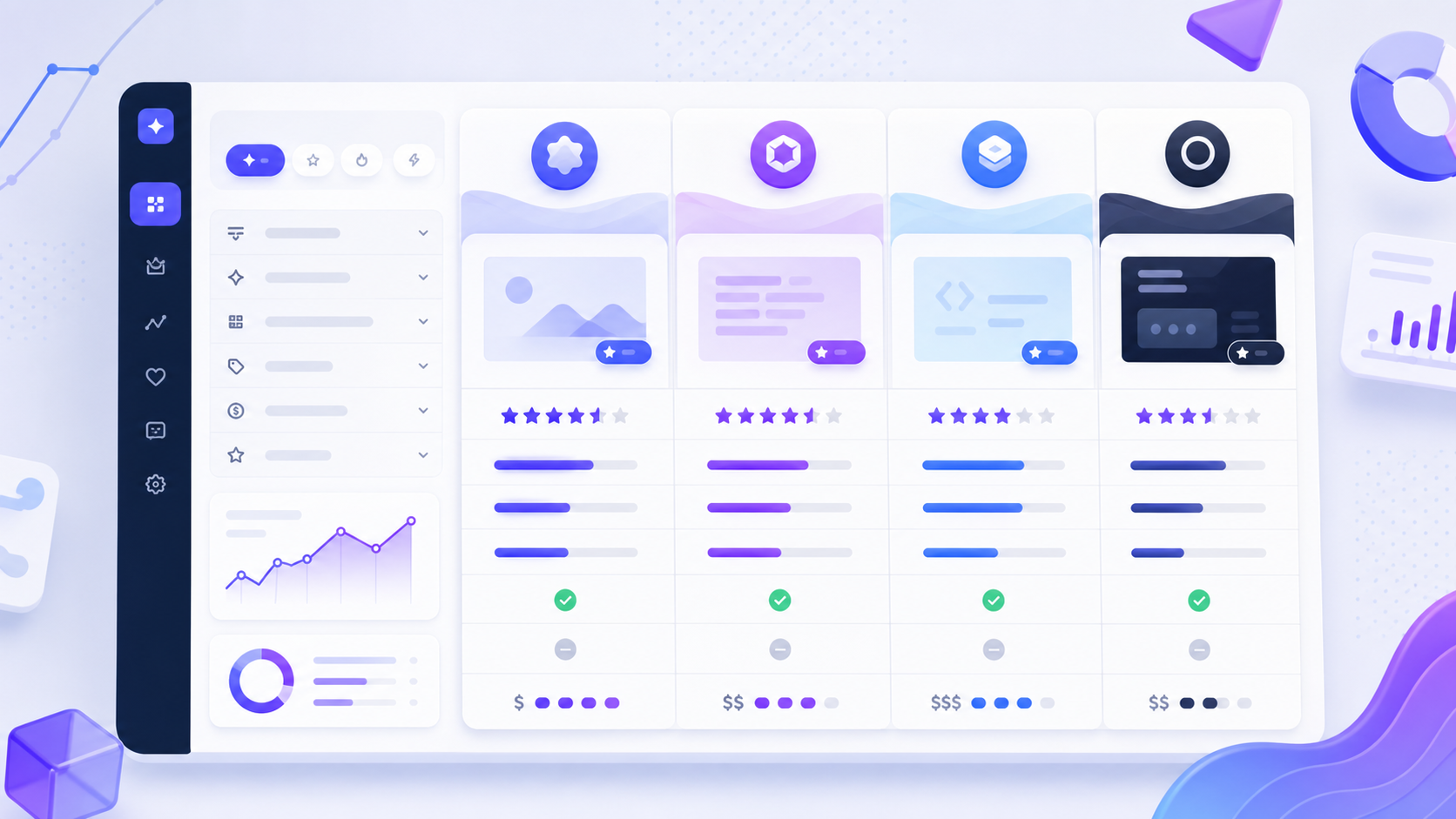
ImagineArt is an all-in-one AI creative platform for generating, editing, animating, and scaling visual content. It combines image and video studios with a node-based workflow builder, giving creators access to dozens of models without managing separate subscriptions or tools.
Whether you need a campaign visual, product mockup, social video, cinematic concept, or a repeatable production pipeline, ImagineArt is designed to move an idea from prompt to finished asset in one workspace.
Explore ImagineArt and start creating
What is ImagineArt?
ImagineArt is an AI-powered creative suite used for image generation, image editing, text-to-video, image-to-video, visual effects, lip-sync, and automated creative workflows. Its official documentation says the platform serves more than six million users and gives new accounts 100 free credits every day, with no subscription required for the basic allowance.
The main advantage is choice. Instead of locking creators into a single model, ImagineArt provides a catalog suited to different jobs, including photorealism, typography, illustration, product imagery, cinematic motion, and rapid iteration.

1. Multi-model AI image generation
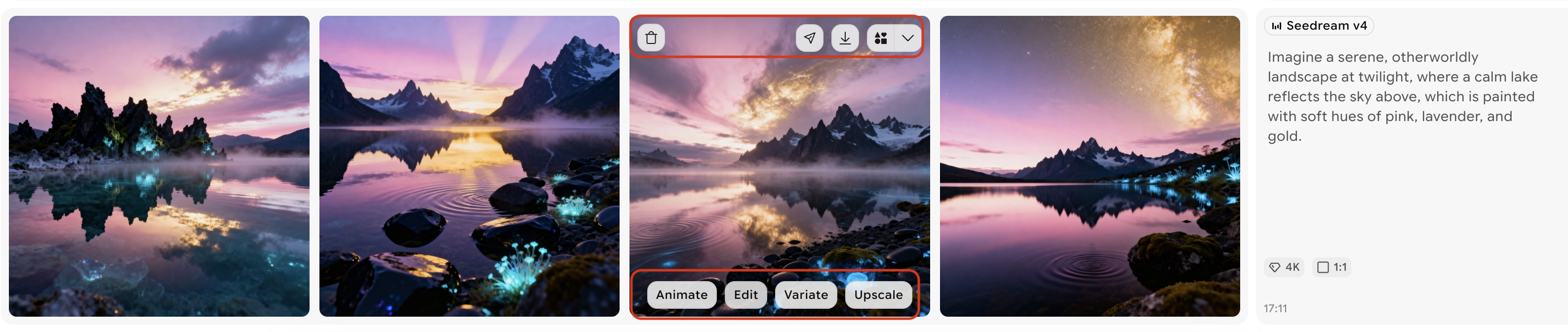
ImagineArt’s Image Studio turns text prompts or reference images into finished visuals. Creators can select a model, choose an aspect ratio, generate one to four options, set supported resolutions up to 4K, and use a prompt enhancer to improve instructions before rendering.
The current documentation lists a wide selection of models, including ImagineArt’s own models alongside Flux, Imagen, Ideogram, Seedream, Recraft, Nano Banana, ChatGPT Image, Qwen Image, and others. That range lets users choose a model around the result they need rather than forcing every project through one engine.
- Marketing and product images: build campaign assets, mockups, banners, and polished commercial scenes.
- Typography and posters: select models designed to render readable text and structured layouts.
- Characters and storytelling: create recurring subjects, concept art, and illustrated scenes.
- High-resolution production: supported models offer 2K or 4K output for more detailed work.

2. Edit, animate, vary, and upscale with Quick Actions
ImagineArt keeps iteration close to the gallery. Hovering over a generated image reveals Quick Actions for four common jobs: Animate, Variate, Edit, and Upscale. This reduces the need to restart a project or move assets between separate applications.
- Animate: turn a still image into motion and guide the movement with a prompt.
- Variate: produce four alternate creative directions from an existing image.
- Edit: change colors, backgrounds, objects, lighting, or composition with natural-language instructions.
- Upscale: increase clarity and resolution for sharper output.
3. Text-to-video and image-to-video creation
ImagineArt’s Video Studio supports both text-to-video and image-to-video generation. You can describe a shot from scratch, upload a visual as the starting frame, or provide start and end frames so the model creates the motion between them.
Settings vary by model but can include duration, resolution, aspect ratio, motion controls, and reference inputs. The platform documentation highlights access to models such as Kling, Google Veo, Hailuo, and WAN, enabling creators to experiment with cinematic movement, realistic physics, and faster concept testing.
Reference-to-video goes further by extracting the appearance of characters, props, clothing, or environments from reference images and rebuilding them in a newly prompted scenario. This is especially useful for branded storytelling and character-led content.
4. Multi-shot videos and consistent Elements
For supported Kling models, ImagineArt includes a Multi-Shot option that joins independently authored shots into one continuous generation. Each shot can have its own prompt and a duration between three and nine seconds, while shared start and end frames can help anchor the sequence.
Elements act as a persistent reference library for characters, products, objects, or other subjects. Once saved, an Element can be mentioned inside workflow prompts to help maintain its appearance across multiple scenes. Together, Multi-Shot and Elements make the platform more practical for recurring characters, product stories, and multi-scene campaigns.
5. Node-based Workflows with 50+ AI models
Workflows is ImagineArt’s advanced production layer. It uses an infinite canvas where users can connect prompt, image generation, editing, video, import, and other nodes into reusable creative pipelines. According to the official documentation, workflows can chain more than 50 AI models.
This matters for teams producing assets repeatedly. A workflow can turn a brief into images, pass a selected visual into an editor, animate it, and prepare variations without rebuilding every step manually. It is useful for social campaigns, product catalogs, creative testing, and consistent content series.
6. Additional creative tools
Beyond generation, the suite includes style references, image prompts, video effects, lip-sync, team plans with shared credits, and model-specific controls. Reference images can guide composition and color, define a consistent aesthetic, or serve as the first or final frame of an animation.
ImagineArt pricing and free credits
New accounts currently receive 100 free credits per day, resetting every 24 hours. Free credits are useful for testing the core experience, while Pro-labelled models and higher-volume generation require a paid subscription. Credit costs vary according to the model, resolution, number of outputs, and selected feature, so creators should check the displayed cost before each generation.
Plans, model access, and credit allowances can change. Review the current offer inside ImagineArt before purchasing.
Who should use ImagineArt?
- Content creators producing thumbnails, social posts, short videos, and animated artwork.
- Marketers testing campaign concepts, ad variations, product scenes, and branded visuals.
- Designers and artists exploring styles, compositions, character ideas, and high-resolution concepts.
- Small businesses that want one platform for product images, promotional video, and creative iteration.
- Creative teams building repeatable, collaborative pipelines with shared credits and workflows.
Pros and considerations
What stands out
- A large choice of image and video models in one interface.
- Useful editing and iteration tools available directly from generated assets.
- Node-based workflows for repeatable production.
- Reference-driven generation and Elements for visual consistency.
- 100 daily free credits give beginners room to test the platform.
What to consider
- Credit usage differs between models and output settings.
- Some advanced or Pro-labelled models require a subscription.
- The broad model catalog may take time to learn if you are new to AI generation.
- AI output still needs human review for accuracy, brand suitability, and commercial rights.
Final verdict
ImagineArt is more than a basic AI image generator. Its combination of image creation, prompt-based editing, video generation, model choice, consistency tools, and node-based workflows makes it a capable visual production platform for creators and teams. The free daily credit allowance also makes it easy to test before committing to a paid plan.
Try ImagineArt through our partner link
Affiliate disclosure: DailyAIPedia may earn a commission if you sign up or purchase through this link, at no additional cost to you.