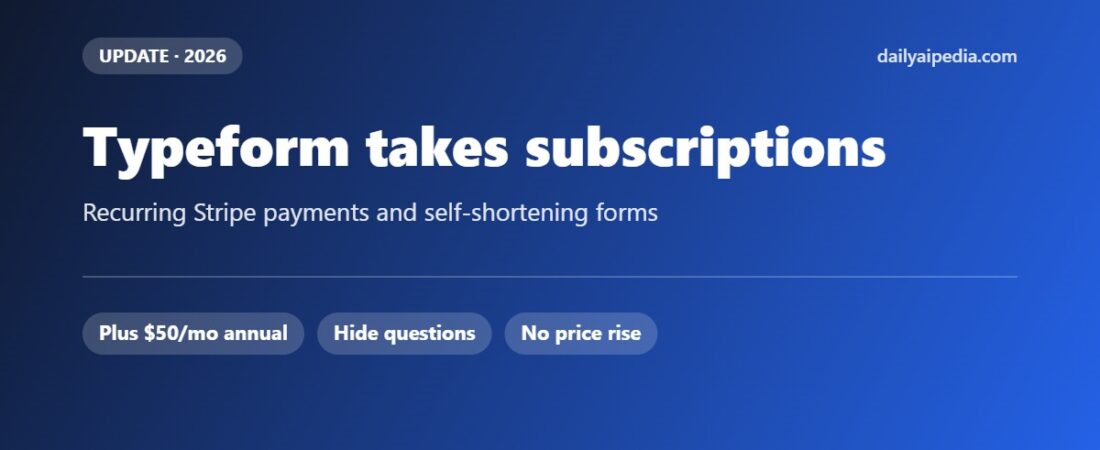
Typeform Can Now Take Subscriptions — and Hide Questions as People Answer
Disclosure: links to Typeform on this page are referral links. If you sign up through them we may earn a commission, at no extra cost to you. Every.

Disclosure: links to Typeform on this page are referral links. If you sign up through them we may earn a commission, at no extra cost to you. Every price and plan limit below was read off Typeform’s own pricing page on 28 September 2026.
Two Typeform releases landed in its recent changelog that change what the tool is for, rather than just polishing it. Forms can now take recurring payments through Stripe, and logic can hide questions and answer choices as someone fills the form in. One turns a form into a checkout for subscriptions; the other fixes the thing that kills completion rates.
A note on dates: Typeform’s changelog is month-granular and lists both features under August 2026, though its community round-up highlighted them in late September. There are no day-level ship dates published, so we are not inventing any.
What changed
Recurring payments: the Payment question can now collect subscriptions and memberships on a schedule through Stripe, not just one-off charges.
Hide upcoming questions based on earlier answers or URL parameters — the form shortens itself as it learns who is filling it in.
Hide answer choices that do not apply, using the same conditions, so a 20-option list can show the four that are relevant.
Also shipped: Contact Info and Address rebuilt as multi-question pages you can reorder, Insights comparing responses across several forms, and — in September — applying themes through Claude or the Typeform MCP server.
Why recurring payments matter more than they sound
A one-off payment question is a way to sell something. A recurring one is a way to run a membership without a billing system behind it. A local gym, a newsletter, a small consultancy with a monthly retainer — all of that previously needed a payments page, a subscription tool, or a developer. Now the form that collects the sign-up details can also start the subscription.
The limits are worth knowing before you plan around it. Payment questions are not on the entry plan: they start on Plus. You also still need a Stripe account, and Stripe’s own fees apply on top of your Typeform subscription — Typeform is the collection layer, not the processor.
What Typeform costs in 2026
| Plan | Monthly | Annual (per month) | Responses a month | Users | Payment questions |
|---|---|---|---|---|---|
| Basic | $29 | $25 | 100 | 1 | No |
| Plus | $59 | $50 | 1,000 | 3 | Yes |
| Business | $99 | $83 | 10,000 | 5 | Yes |
| Growth Flow | $349 | $266 | 10,000 | 5 | Yes |
| Talent | $169 | $119 | 3,000 | 3 | Yes |
| Enterprise | Custom | Custom | Unlimited | Custom | Yes |
Basic covers unlimited forms, AI form creation, conditional logic and webhooks. Plus adds branding removal and a custom subdomain — and the payment question. Business adds drop-off analysis, conversion tracking and priority support. Growth Flow is the newer tier, built around lead enrichment (1,500 a month), Smart Insights, contacts and automations, and a Salesforce integration; it has a 14-day free trial. Talent is the hiring-focused plan, with video questions, reCAPTCHA and multi-language support.
Prices verified on Typeform’s pricing page on 28 September 2026. Annual billing is charged for the year up front.
The upgrade question, honestly
| If you… | The plan that fits | Why |
|---|---|---|
| Want to test a form idea | Basic, $25 annual | Logic and AI form building are included; you simply cannot take money |
| Want to charge once or monthly | Plus, $50 annual | The cheapest plan with payment questions, plus branding removal |
| Need to see where people quit | Business, $83 annual | Drop-off analysis is the feature that pays for the tier |
| Run outbound or sales workflows | Growth Flow, $266 annual | Only worth it for the enrichment and Salesforce side, not the form features |
| Hire at volume | Talent, $119 annual | Video questions and multi-language, which the general plans lack |
The jump most people should think hardest about is Basic to Plus. It doubles the monthly cost, and the deciding factor is usually not branding — it is whether the form takes money. If it does, the $25 difference is trivial against what it collects. If it does not, Basic is genuinely enough for a small site.
Hiding questions: the feature that improves completion
Every long form has questions that only apply to some people. Until now the usual fix was logic jumps, which skip ahead but still leave respondents feeling the form is long. Hiding removes the question entirely when a condition is met, and can be driven by a URL parameter — meaning you can pre-filter before anyone answers anything.
In practice: send existing customers a link carrying ?customer=yes and the three onboarding questions never appear for them. Hide answer choices the same way, so a product dropdown shows only what that segment can actually buy. It is the least glamorous release of the month and probably the one that moves the most numbers.
If you are weighing Typeform against the alternatives, our Typeform review covers the AI form building and workflow side, and the video questions guide covers the Talent-plan features.
The verdict
Typeform has spent 2026 moving from a form builder to something closer to a small front office: it asks the questions, takes the money, and now adjusts itself to who is answering. Nothing here changes the price you pay, which is unusual and welcome — the features landed inside the existing tiers. Just check the tier before you build: recurring payments on the Basic plan is a form you cannot ship.
You can see the current plans and start a trial through our Typeform link.
Feature details from Typeform’s own changelog and product updates; plan prices, response limits and seat counts verified on Typeform’s pricing page on 28 September 2026. Typeform does not publish day-level release dates.
Related guides
- Typeform Review 2026: AI Forms, Growth Flow, Research Flow and Automated Customer Workflows
- Typeform Video Questions Review
- Best AI Marketing Tools for Small Businesses
- Close CRM Review 2026: Chloe AI, Real Pricing and the Costs That Are Not on the Price Page
- Typeform’s MCP server: build, theme and publish forms from Claude or ChatGPT
- Typeform Pages: an AI landing page builder, free on every plan (closed beta)