
Replit’s October 2026 Update: GPT-6.1 Sol, Claude Sonnet 5.5 and the Jev Decision Model
Disclosure: this post contains an affiliate link to Replit. If you sign up through it, DailyAIPedia may earn a commission at no extra cost to you. Replit had.

Disclosure: this post contains an affiliate link to Replit. If you sign up through it, DailyAIPedia may earn a commission at no extra cost to you. Replit had no involvement in this post. Every quote below is taken verbatim from Replit’s own documentation and every price from replit.com/pricing, both checked on 4 October 2026.
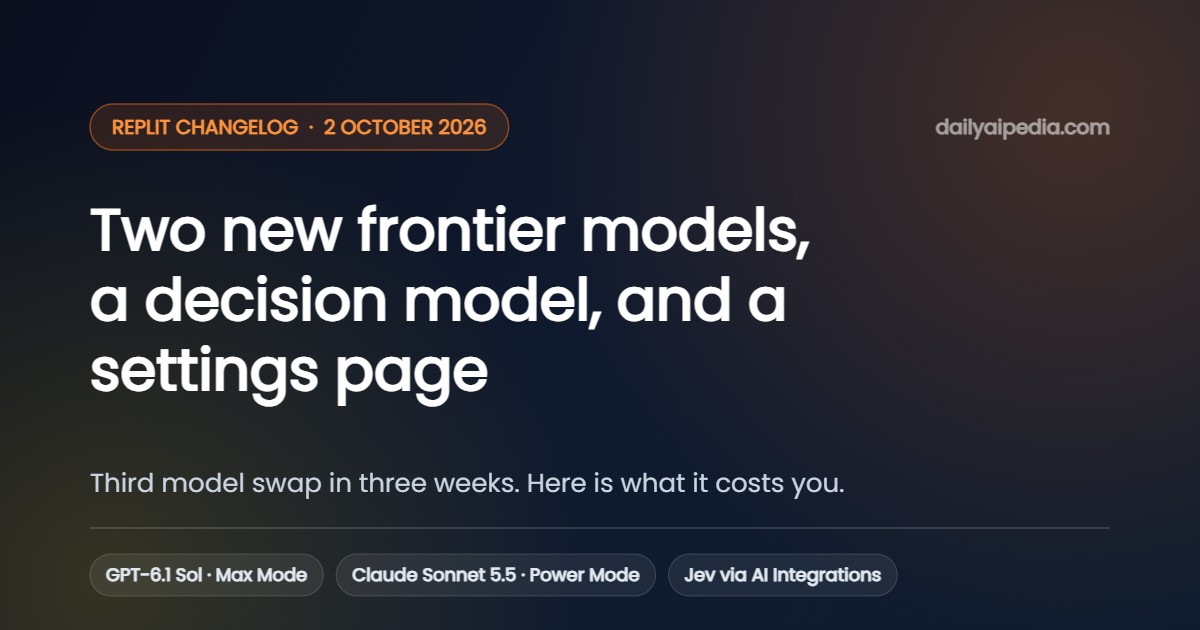
Replit ships its changelog weekly, on Fridays. The 2 October 2026 entry is four items long, and the first two matter a great deal more than the length suggests: the Agent model line-up changed again, one week after it last changed.
| What shipped | Who it affects | Why it matters |
|---|---|---|
| Jev via Replit AI Integrations | Core, Pro, Enterprise | A dedicated decision model for classification, routing and scoring — no API key, billed to your Replit credits. |
| GPT-6.1 Sol and Claude Sonnet 5.5 | Anyone selecting a model in Agent | Sonnet 5.5 lands in Power Mode, GPT-6.1 Sol in Max Mode. The cheaper mode got the newer Claude. |
| Settings is now a full page | Everyone | Integrations and Security get their own pages. Your project stays open underneath. |
| Workspace settings | Enterprise only | Company-wide rules, per-team exceptions, and delegated control to Workspace admins. |
The models: Sonnet 5.5 in Power Mode is the real news
Replit’s wording is short enough to quote whole: “You can now choose GPT-6.1 Sol and Claude Sonnet 5.5 when building with Agent. Sonnet 5.5 is available in Power Mode, and GPT-6.1 Sol is available in Max Mode.”
Which mode a model lands in is the whole story, because the modes are how Replit prices capability. Power Mode is documented as “optimized for cost — uses fewer credits per task and is the best default.” Max Mode is “optimized for capability — more capable models for complex tasks, larger codebases, and harder problems.” Putting a brand-new Claude into the cheaper tier is a genuine upgrade for everyday work, not a headline model you have to pay up to touch.
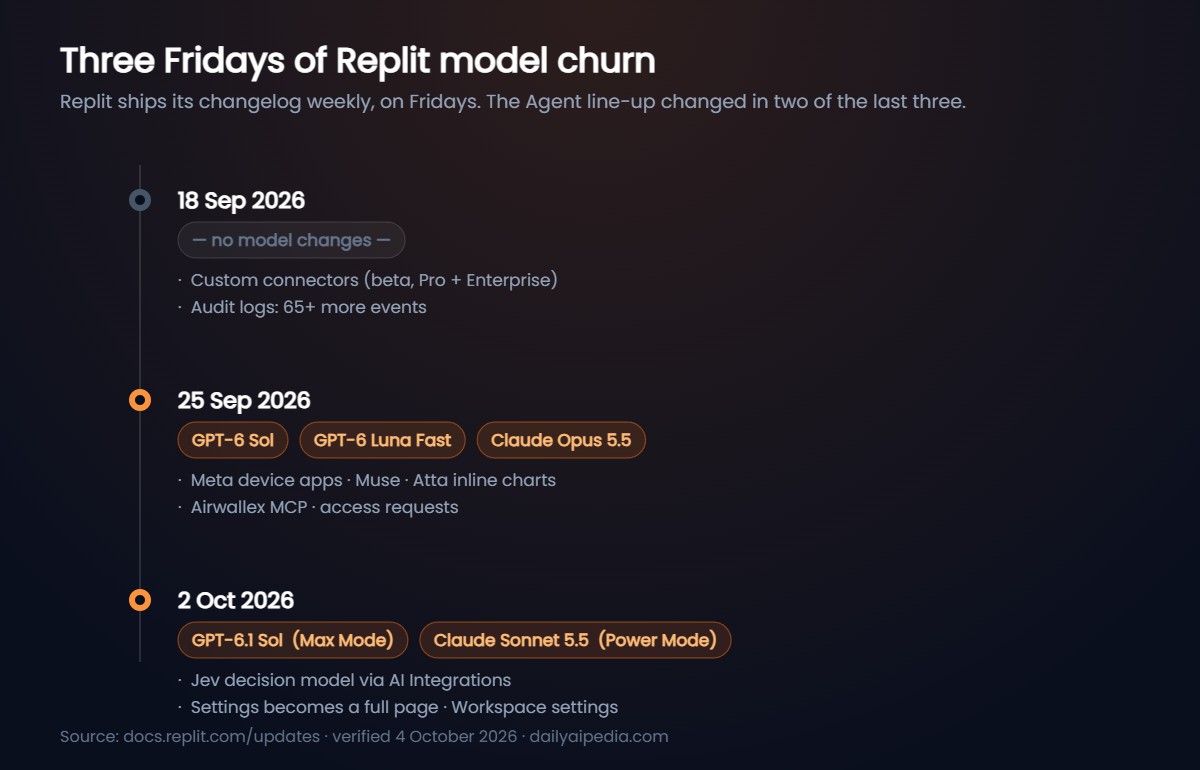
One week earlier, on 25 September, Replit had added GPT-6 Sol, GPT-6 Luna Fast and Claude Opus 5.5. Seven days later the list reads GPT-6.1 Sol and Claude Sonnet 5.5. If you have written a workflow, a Routine or a team policy around a specific model name, that is twice in a fortnight you may need to revisit it.
Three things to know about Agent modes before you pick
- Economy Mode is gone. Replit’s documentation states it plainly: “Economy Mode is no longer available. Power Mode replaces it at the same price.”
- Free Mode cannot select a model. It always uses intelligent routing. To pick a model by hand you need Power or Max.
- Auto is not free. In Power or Max, Core and Pro builders can set Auto and let Replit choose a model per task — but Replit notes it “uses subscription credits like other Power and Max work.”
Availability is also conditional. Replit’s 25 September note applies to both weeks: “Model availability depends on your selected tier and your Workspace’s model policies.” On Enterprise, admins can restrict which providers and models a Workspace may use at all — which is precisely what the fourth item in this changelog expands.
Jev is the item worth actually reading
Replit buried a new model category in the first bullet. Jev is not a general chat model — Replit’s documentation describes it as “a decision model,” available as jev-latest through OpenRouter via Replit AI Integrations, and made by typesafe.ai.
The pitch, verbatim: “Build apps that classify content, route requests, and score leads with fast, structured AI decisions, without managing API keys.” To turn it on you ask Agent to “Use Jev via AI Integrations.”
If you have ever wired a general-purpose LLM into a support-ticket router or a lead scorer and then spent a week fighting it into returning clean JSON, that is the job this is aimed at. Whether it does the job better than a small general model is not something Replit has published evidence for, and we have not tested it.
What Replit AI Integrations actually costs
Jev arrives through Replit AI Integrations, so it is worth being precise about what that feature is and who pays for it. Replit’s own description: “Replit manages the provider credentials and bills you at the public API price. Your usage is billed to your Replit credits.”
| Plan | Price (as shown 4 Oct 2026) | AI Integrations access |
|---|---|---|
| Starter (free) | $0 | Disabled. You can still build AI apps using your own API key. |
| Core | $20/mo, or $18/mo billed annually | Enabled. Replit-managed credentials, no API keys to handle. |
| Pro | $100/mo, or $90/mo billed annually | Disabled by default. An organisation admin has to toggle it on. |
| Enterprise | Custom | Disabled by default. Same admin toggle, plus Zero Data Retention endpoints only. |
Replit’s pricing page lists Core as including “$20 towards most powerful models” and up to 30 hours of chat plus 60 projects on Free Mode; Pro includes “$100 towards most powerful models,” 10 parallel agents, up to 15 collaborators, 50 viewer invites and 28-day database rollback. Pro credit tiers run $90, $215, $425, $825 and $2,000 per month. Prices shown are before tax.
Read this before you route customer data through OpenRouter. Jev runs through OpenRouter, and Replit publishes its default OpenRouter privacy settings. Paid endpoints have training disabled. Free endpoints do not. Replit’s documentation states that for individual and team users, free model providers “may train on your prompts and completions” and “may publish your prompts and completions to public datasets.” Enterprise is different — it is restricted to Zero Data Retention endpoints only, which Replit notes also means “the selection of available models will be more limited.”
If you are classifying anything sensitive on a self-serve plan, confirm which endpoint you are actually hitting.
One more caveat on Replit’s own model catalogue page: it carries the note “Last updated: August 1, 2026,” and says the list “is refreshed automatically on a bi-weekly cadence.” The catalogue it shows does not include the models announced in the September and October changelogs, so do not treat it as the current list.
Settings became a page, and that is not nothing
“Settings now opens as its own page instead of a modal. Integrations and Security get their own pages too. Your project or chat stays open underneath, so leaving Settings puts you right back where you were.”
Unglamorous, and the change most people will feel daily. A modal that covers your project is a modal you close before you have finished reading it. The practical upshot: Settings is now linkable, searchable (there is a Search settings field in Replit’s screenshot), and leaving it does not cost you your place.
The Settings page is also where Free Mode usage lives — Settings → Usage shows your remaining Free allowance and when it resets, which is worth checking before you assume a build is on your subscription credits.
Workspace settings (Enterprise only)
“Set rules company-wide, make exceptions for specific teams (Workspaces), and let team admins (Workspace admins) manage certain settings on their own.”
This is the governance half of the model churn. If your Agent model list changes twice a fortnight, somebody in a regulated company needs to be able to say which models are allowed before a developer picks one. Workspace settings is where that now happens, alongside the enterprise model controls Replit already shipped. It follows the 25 September entry, which added in-product access requests so a developer hitting a Workspace restriction can ask for an exception instead of filing a ticket — and those are off by default.
The argument underneath all of this
The changelog links to a Replit engineering post published 29 September called “Free the models.” Its claim is that Replit does not route between models with a heuristic or a small picker model, because “a router will always be less capable than the model it’s choosing for.” Instead the main agent chooses its own subagents’ tier and effort, and adjusts its own as a task unfolds.
Replit publishes benchmark numbers to support it. We covered these in detail separately; the short version, and the caveat:
| Benchmark | Replit Agent | Baseline model alone | Sidekick architecture |
|---|---|---|---|
| DeepSWE v1.1 | 72% at $2.11/task | 67% at $1.60 (low effort) → 74% at $4.43 (xhigh) | 61% at $1.34 |
| Terminal-Bench 4.0 | 49% at $2.53/task | 42% at $2.25 (low) → 60% at $5.86 (xhigh) | 33% at $1.84 |
These are vendor-run benchmarks. Replit measured its own harness against its own baselines, over 113 and 63 tasks respectively, averaged across four repetitions. No independent party has reproduced them. They are useful as a statement of what Replit is optimising for — cost-efficiency at a given score, not peak score — and not as a neutral ranking.
It does explain the mode design, though. If the agent is choosing effort step by step, then Power Mode and Max Mode are budgets rather than quality tiers, and a new Claude landing in Power Mode is exactly what you would expect from a company trying to push the cost-efficient frontier down rather than the score up.
Should you change anything?
Practical takeaways
- If you live in Power Mode: you just got a newer Claude at the same price. Worth a side-by-side on a task you already know the shape of.
- If you default to Max Mode out of caution: try Power Mode with Sonnet 5.5 for a week on routine work and compare your credit burn. Replit’s own guidance is that no single mode is always best.
- If you pinned a model by name: check it still exists. Two renames in two weeks.
- If you are on Pro or Enterprise and AI Integrations seems missing: it is disabled by default on both; an organisation admin has to turn it on in organisation settings.
- If you were going to try Jev on customer data: read the OpenRouter free-endpoint training note above first.
You can see current plans and credit tiers at replit.com. The changelog itself is public at docs.replit.com/updates, published weekly on Fridays.
Frequently asked questions
What did Replit ship on 2 October 2026?
Four things: Jev, a decision model, became available through Replit AI Integrations; GPT-6.1 Sol and Claude Sonnet 5.5 were added as selectable Agent models; Settings moved from a modal to its own full page, with Integrations and Security getting pages of their own; and Enterprise accounts gained Workspace settings for company-wide rules with per-team exceptions.
Which Replit mode is Claude Sonnet 5.5 in?
Power Mode. GPT-6.1 Sol is in Max Mode. Replit documents Power Mode as the cost-optimised tier that uses fewer credits per task, and Max Mode as the capability-optimised tier for complex work and large codebases.
What is Jev in Replit?
Jev is a decision model from typesafe.ai, available as jev-latest through OpenRouter via Replit AI Integrations. Replit positions it for classifying content, routing requests and scoring leads with fast, structured AI decisions, without you managing API keys. You enable it by asking Agent to use Jev via AI Integrations.
Do I need a paid plan for Replit AI Integrations?
Yes. Replit states AI Integrations requires a paid plan — Core, Pro or Enterprise. On the free Starter plan it is disabled, though you can still build AI apps using your own API key. On Pro and Enterprise it is additionally disabled by default until an organisation admin enables it.
How much does Replit cost in October 2026?
As displayed on replit.com/pricing on 4 October 2026: Core is $20/month, or $18/month billed annually. Pro is $100/month, or $90/month billed annually, with higher credit tiers at $215, $425, $825 and $2,000 per month. Enterprise is custom. Prices are before tax.
Does Replit train on my prompts?
It depends on the endpoint. Replit disables training on paid OpenRouter endpoints by default. For free OpenRouter endpoints on individual and team plans, Replit’s documentation says providers may train on your prompts and completions and may publish them to public datasets. Enterprise accounts are restricted to Zero Data Retention endpoints only, at the cost of a smaller model selection.
Is Economy Mode still available in Replit?
No. Replit’s documentation states Economy Mode is no longer available and that Power Mode replaces it at the same price.
What we could not verify
Open questions, stated plainly
- Whether Jev is better than a small general model at classification or routing. Replit publishes no benchmark for it and we have not run one.
- What GPT-6.1 Sol and Claude Sonnet 5.5 cost per task on Replit. Credit consumption per model is not published; the modes are the only published cost signal.
- How the model names relate to each other. The 25 September entry names GPT-6 Sol and Claude Opus 5.5, the 2 October entry names GPT-6.1 Sol and Claude Sonnet 5.5, and the 29 September engineering post discusses GPT-6 Astra, Fable 5 and Fable 5.1. Those are three different sources using different names. Replit has not explained the relationship and we are not going to guess at it.
- Replit’s benchmark numbers. Vendor-run, vendor-scored, not independently reproduced.
- Whether the models reached every account on 2 October. Availability is explicitly gated by tier and Workspace policy, so your dropdown may not match the changelog.
All quotes are taken verbatim from docs.replit.com (changelog entries for 18 and 25 September and 2 October 2026, the Replit AI Integrations page, the Agent modes page and the Replit Pro page) and from replit.com/pricing and replit.com/blog, each checked on 4 October 2026. Replit publishes its changelog weekly on Fridays; there was no entry between 25 September and 2 October.
Related guides
- Replit Agent’s benchmark claims, read carefully: DeepSWE, Terminal-Bench and cost per task
- Replit review 2026: AI chat app builder, Design Mode and deployment
- Replit, Softr and Bubble: what changed in September 2026
- 21st.dev review: MCP components for AI coding agents
- MeDo’s backend resource plans and daily billing