Typeform Video Questions Review 2026: What It Does, What It Costs, and the Plan You Actually Need
Disclosure: the Typeform links here are referral links. If you subscribe through one, DailyAIPedia may earn a commission at no extra cost to you. Every price, limit and.

Disclosure: the Typeform links here are referral links. If you subscribe through one, DailyAIPedia may earn a commission at no extra cost to you. Every price, limit and quoted policy below was read directly off Typeform’s own pricing page and help centre on 17 September 2026.
Typeform has added video questions: instead of a respondent reading your question as text, they watch you ask it. You record straight from your webcam or upload a file, and the video plays full-bleed where the question copy would normally sit.
It is a good feature. It is also priced in a way that will surprise most people who go looking for it, and the feature page does not make that obvious. This review covers exactly what it does, the real limits, and which plan you actually have to be on.
The short verdict
| What it is | A recorded video in place of written question copy, on any question type |
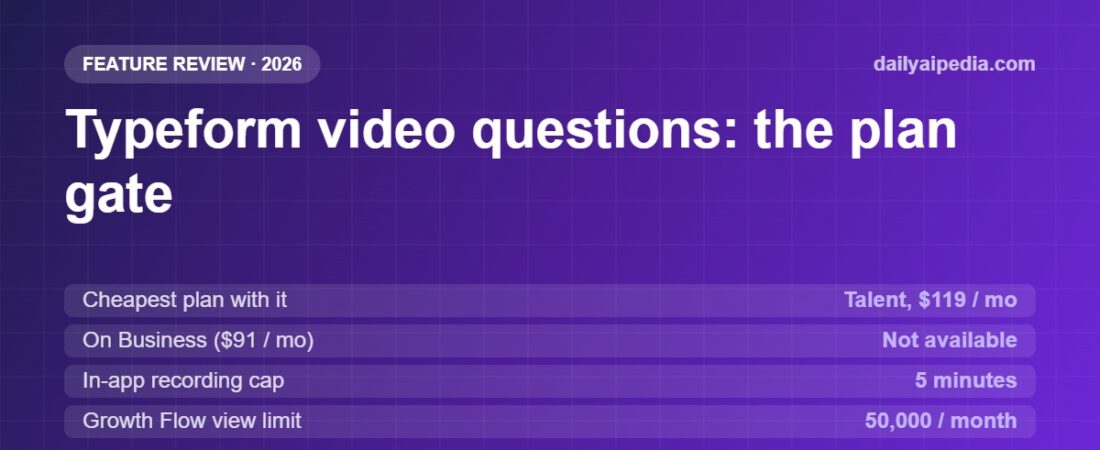
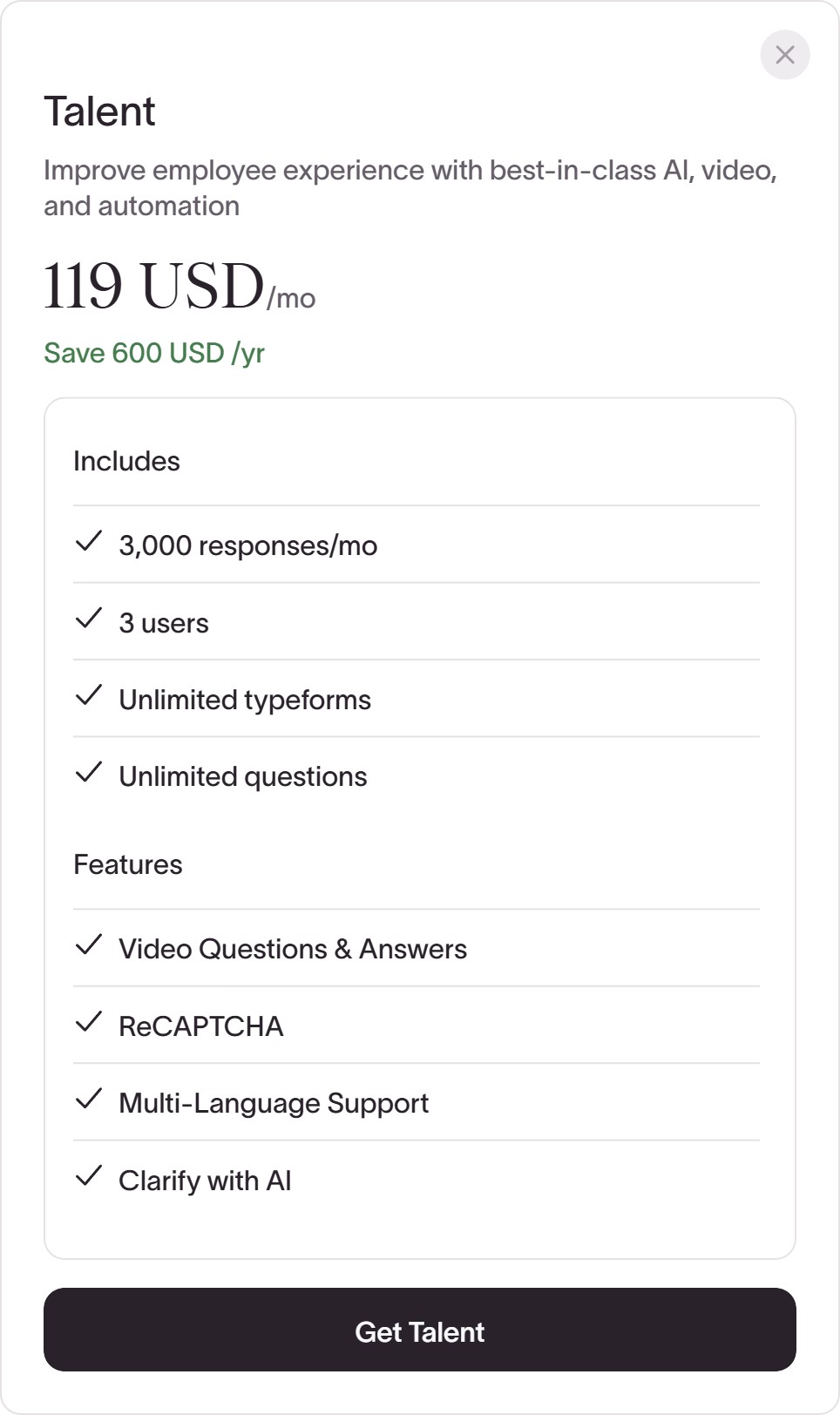
| Cheapest plan that has it | Talent, $119/month billed yearly |
| Cheapest non-HR plan | Growth Flow, $266/month billed yearly |
| Best thing in it | Delay interaction — hide the answer field until they have watched |
| Worst thing in it | Switch a question back to Text and your recording can be deleted |
What a Typeform video question actually is
You build the question as normal — short text, multiple choice, rating, whatever — and then switch that question’s format from Text to Video in the right-hand sidebar. The answer input stays exactly the same. Only the way you ask changes.
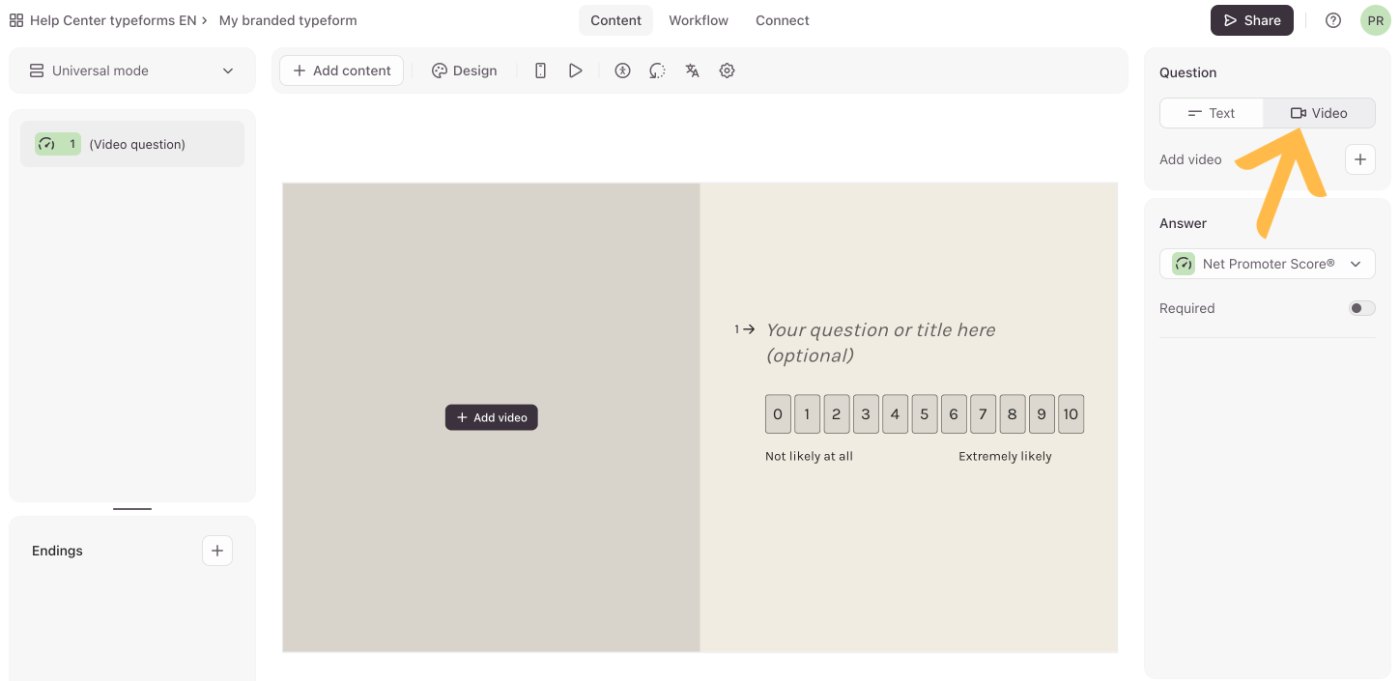
Two ways to get the video in:
- Record in the browser. Typeform asks for camera and microphone permission, gives you a three-second countdown, and caps each recording at five minutes with an on-screen timer.
- Upload a file. No time limit, but a hard ceiling of 500MB, in MP4, MOV or WEBM.
Two placement limits worth knowing before you plan a form: video questions cannot go on a Welcome Screen or an End Screen (you add video there through the media gallery instead), and a question that uses video cannot also carry an extra image or video. One video per question, and only on real questions.
A separate feature lets respondents answer you with video. That is metered separately, and it matters for the plan maths below.
The part nobody tells you: which plan you need
Typeform‘s help centre is direct about it — “Video questions are available on all Growth and Talent plans” — but you have to be on the right page to see that sentence. On the pricing page it is a single tick in a comparison table.
Here is what that tick costs. Prices are per month; Typeform’s page opens on yearly billing by default, so both cycles are shown:
| Plan | Yearly | Monthly | Video questions |
|---|---|---|---|
| Basic | $28 | $39 | No |
| Plus | $56 | $79 | No |
| Business | $91 | $129 | No |
| Talent HR teams | $119 | $169 | Yes |
| Growth Flow | $266 | $379 | Yes |
Talent’s monthly figure is derived from its own card: $119/month yearly with a stated saving of $600/year. Read from typeform.com/pricing on 17 September 2026.
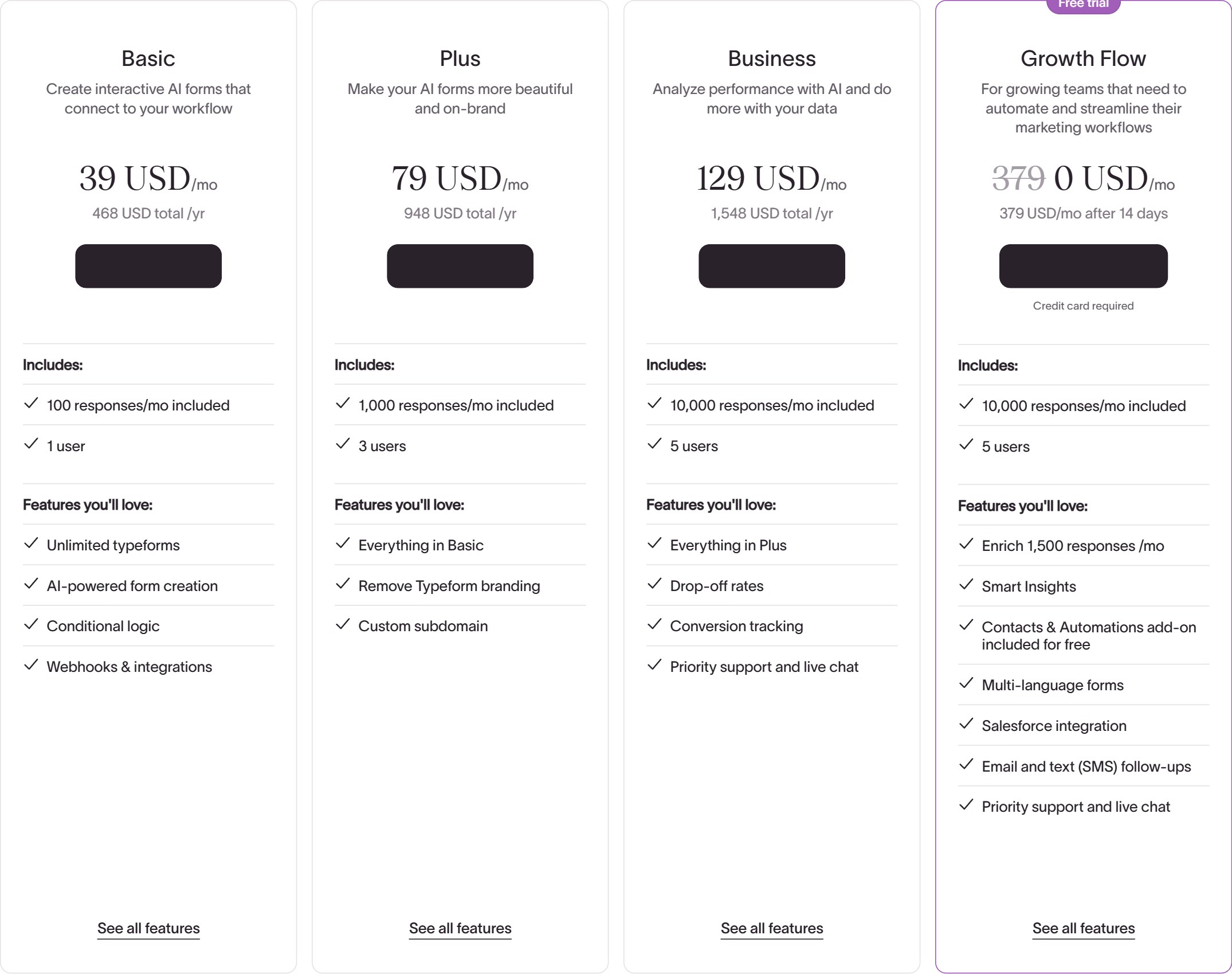
Read that table again, because it is the whole story. Business, at $91 a month, does not include video questions. That is the plan most marketing and ops teams land on — it has 10,000 responses, five seats, drop-off analysis and conversion tracking. Adding video means jumping to Growth Flow: 2.9 times the price, for a bundle of enrichment, Salesforce and SMS follow-ups you may not need at all.
The cheaper door is the Talent plan at $119 a month, which lists “Video Questions & Answers” as its first headline feature. Typeform positions it for HR and people teams, but nothing about it is technically restricted to recruiting. If you are a small team that mainly wants video questions, it is less than half the price of Growth Flow — with the trade-off of 3,000 responses a month instead of 10,000, and three seats instead of five.
The setting that justifies the price
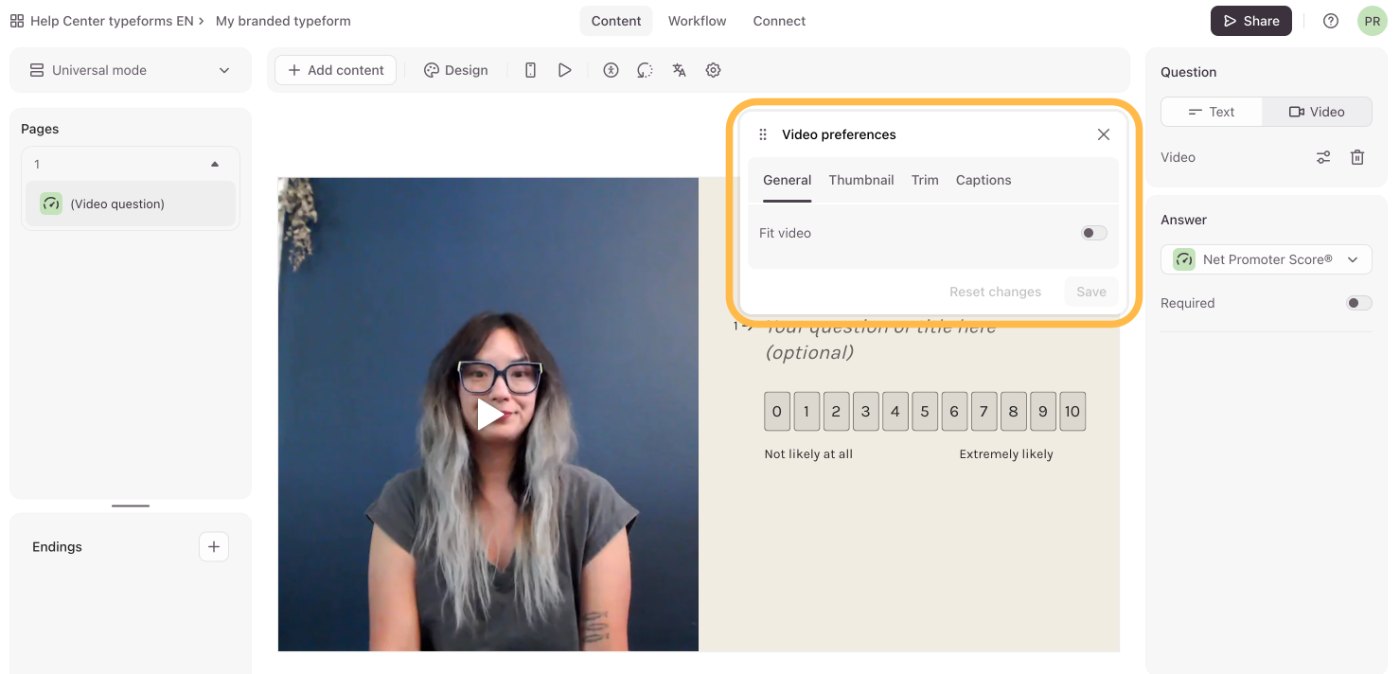
Most of the video options are cosmetic — a thumbnail frame picker, a non-destructive trim tool, a fit-to-width toggle. One is not.
Delay interaction
Toggle it on and the answer field does not appear until the respondent has watched your video — either for a number of seconds you set, or for its full length. The countdown only starts when the video starts playing, so someone who never hits play never gets to skip ahead.
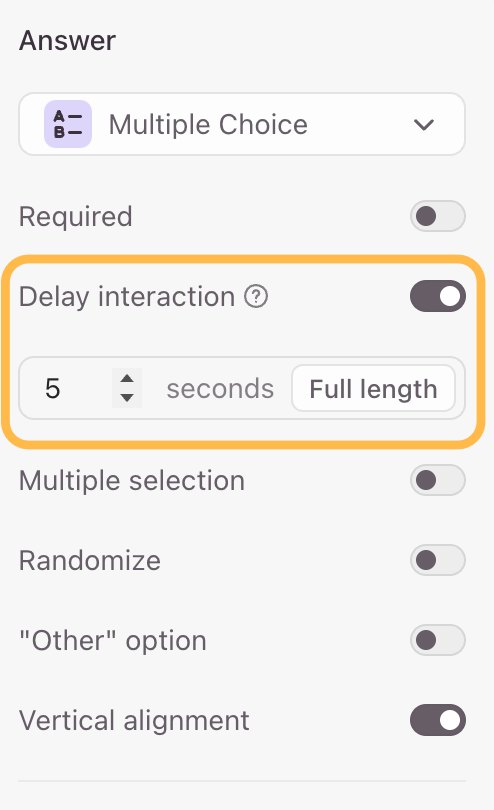
That is the feature doing real work. A video that people scroll past is decoration; a video they have to watch before they can answer is a qualification step. If you are using this for applicant screening, partner onboarding or a high-friction sales form, that toggle is the reason to be here.
Respondents keep an escape hatch, which is the right call: playback speed is adjustable from 1x up to 2x, so someone in a hurry can halve the wait without being blocked.
How Typeform counts a “view” — and why it matters
Video question views are metered. Growth Flow includes 50,000 video question views and 20,000 video answers a month. Talent and Growth Custom limits are not published; Typeform tells Growth Custom customers to ask their account manager.
The counting rules are worth reading closely, because several of them favour the meter rather than you:
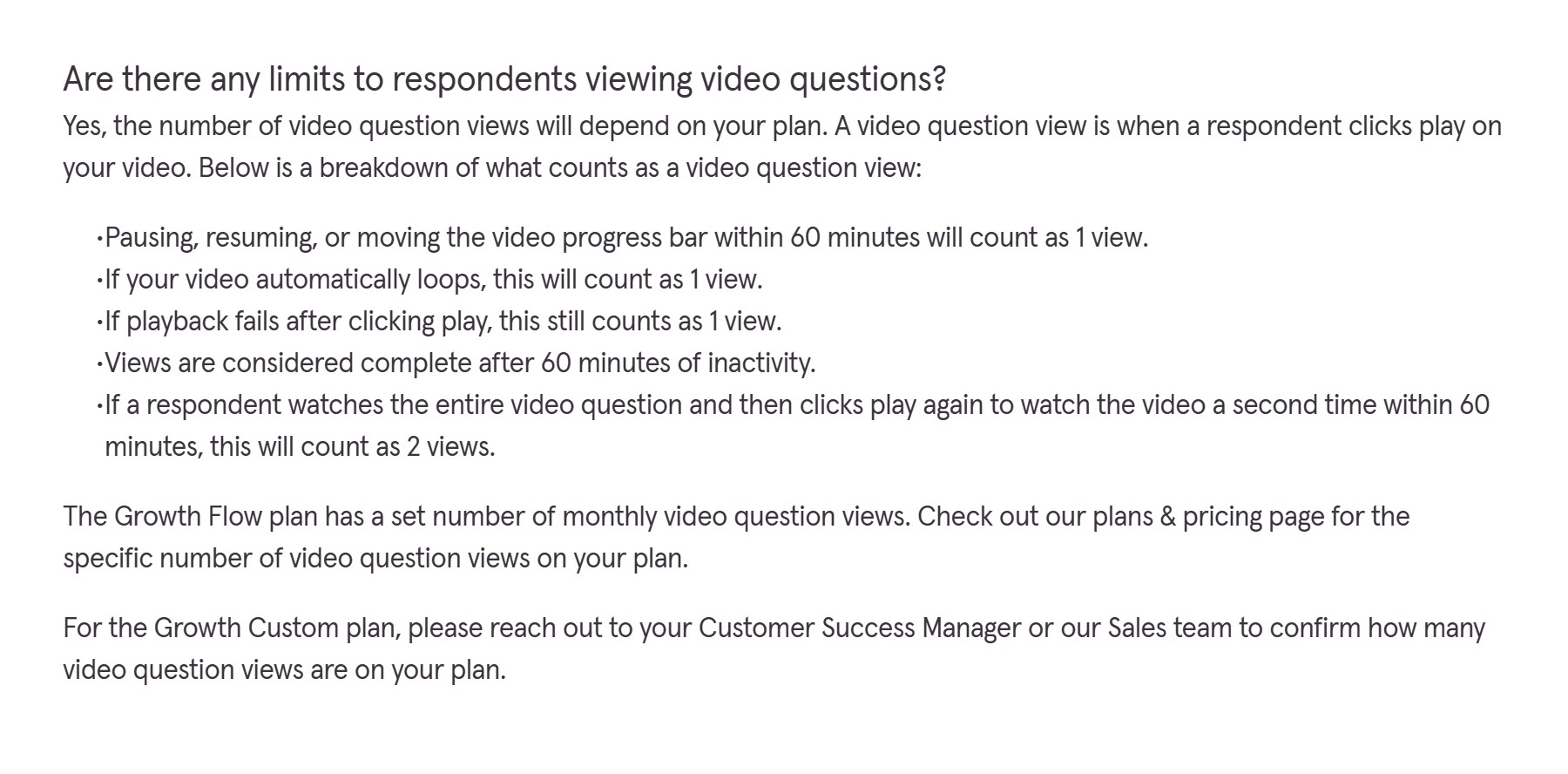
Three of those rules deserve highlighting:
- “If playback fails after clicking play, this still counts as 1 view.” A respondent on bad hotel wi-fi who sees a spinner and gives up has still spent one of your views.
- A rewatch within 60 minutes counts as 2 views. Engaged respondents cost more than disengaged ones.
- Pausing, resuming or scrubbing inside 60 minutes stays at 1 view. This one is generous, and it is the reason the previous rule is not as harsh as it first sounds.
Do the view maths before you commit
Here is the trap. Growth Flow gives you 10,000 responses and 50,000 video views a month — a ratio of five views per response. If your form has six video questions and every respondent plays each one once, you hit the view ceiling at roughly 8,300 responses, well before you use the responses you paid for.
So the practical rule: keep video questions to four or five per form, or accept that views, not responses, become your binding limit. If you plan to use video on most questions in a long form, price it on views and talk to sales rather than assuming the published tier covers you.
The limits, in one place
| Recording inside Typeform | 5 minutes per video |
| Uploaded video length | No limit |
| Uploaded file size | 500MB |
| Accepted formats | MP4, MOV, WEBM |
| Question text alongside the video | 105 characters, optional |
| Automated closed captions | On by default, English only |
| Welcome and End screens | Not supported |
| API and webhooks | Supported, including video and audio answers |
Three things that will catch you out
1. Switching back to Text can destroy your recording
Typeform’s own warning: if you switch a question back to Text after recording or uploading, and then publish, “your video may be deleted” — you will have to record or upload it again. If you are A/B testing text against video on the same question, duplicate the question instead of toggling it.
2. Captions are English-only. The captions toggle is on by default and Typeform’s accessibility checker warns you when you turn it off, which is a good default. But the automated captions themselves only work in English. If you run forms in other languages, you are either uploading video with burned-in subtitles or shipping an accessibility gap.
3. Autoplay behaviour changes as people go. The first video question autoplays muted, to bait the click. Every video question after that autoplays with sound. That is fine for a focused respondent and startling for someone filling your form in an open-plan office. Test it on a phone before you publish.
Is it worth it?
As a feature, yes. Recording a question once and having it play for every respondent is a genuinely different experience from reading text, and Delay interaction turns that into a real qualification mechanic rather than a gimmick. The editing tools are better than they need to be — the trim is non-destructive, so you can always reset to the original.
As a purchase, it depends entirely on which door you walk through:
- If you are an HR or recruiting team, the Talent plan at $119/month is a straightforward yes. Video questions and video answers are exactly the use case, and it is the cheapest access there is.
- If you are a marketing team on Business at $91, be honest about whether you are buying video questions or buying Growth Flow. At $266 a month you are also paying for enrichment, Salesforce, SMS and Smart Insights. If those are dead weight, the video feature is costing you $175 a month on its own.
- If you just want a personal touch on a short form, this is an expensive way to get it. A hosted video embedded on the page before the form, with a cheaper plan underneath, gets most of the effect for a fraction of the cost — you just lose Delay interaction.
Try it: Growth Flow has a 14-day free trial — note that it asks for a card up front, so set a reminder before day 14 if you are only testing. That is a referral link; we may earn a commission if you subscribe, at no extra cost to you, and it does not change a single figure above.
The bottom line
Typeform video questions do what they claim, and Delay interaction is the detail that makes them more than decoration. The catch is not in the feature, it is in the price list: this sits two tiers above where most people are, and the plan that most teams already pay for does not include it.
Work out your view count before you upgrade, check whether the Talent plan fits you before you pay Growth Flow prices, and duplicate rather than toggle when you experiment.
All prices, plan limits and quoted policy text verified against typeform.com and help.typeform.com on 17 September 2026. The pricing screenshots are our own captures of Typeform’s live pages; the editor screenshots are Typeform’s own documentation images, credited in each caption — we do not hold a Growth or Talent subscription, so we have not recorded a video question ourselves. Vendors change prices; if you spot a discrepancy, tell us and we will re-check.
Related reading on DailyAIPedia
- Close CRM Review 2026 — another tool where the feature you want sits two plans above the one you were going to buy.
- AI Voice Tool Pricing Tracker — 16 voice tools with prices we re-verify every month.
- AI Voice Tool Picker — five questions, then a shortlist matched to your use case.