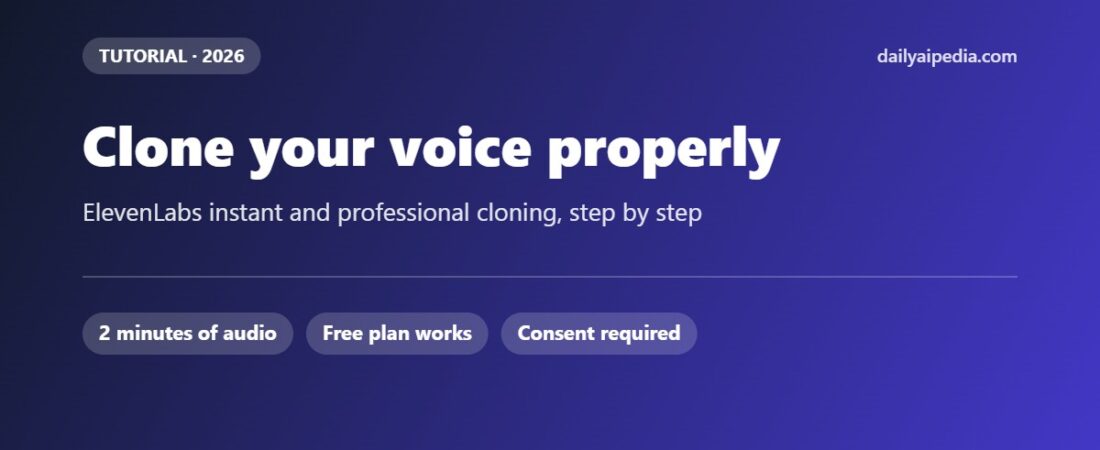
How to Clone Your Voice in ElevenLabs: Instant vs Professional, Step by Step
Correction — 4 October 2026This guide previously said an Instant Voice Clone works on every plan including free. It does not. We re-read ElevenLabs’ pricing page today: Instant.
Correction — 4 October 2026
This guide previously said an Instant Voice Clone works on every plan including free. It does not. We re-read ElevenLabs’ pricing page today: Instant Voice Cloning is marked with a cross on the Free column and a tick from Starter upward, and the Starter plan card lists it under “Everything in free, plus.” Professional Voice Cloning starts at Creator.
We have corrected every place that said otherwise. Starter is currently $1 for the first month, normally $6 — ElevenLabs states that offer runs until 18 October.
Disclosure: links to ElevenLabs on this page are referral links. If you sign up through them we may earn a commission, at no extra cost to you. The steps, requirements and limits below come from ElevenLabs’ own product documentation, checked on 28 September 2026.
Update, 28 September 2026: ElevenLabs has released Eleven v4, which cuts the audio an instant voice clone needs to ten seconds. The recording advice below still applies — clean and consistent beats long — but you no longer need a full one to two minutes to get started.
Voice cloning is the feature most people sign up to ElevenLabs for, and the one they most often get wrong on the first attempt — usually by feeding it too much audio, or the wrong kind. This guide walks through both cloning methods, what each needs, and the settings that decide whether the result sounds like you or like a stranger doing an impression of you.
Before you start
Instant Voice Clone (IVC): from ten seconds of audio on Eleven v4 (1–2 minutes on earlier models), Starter plan or above — not the free plan — ready in seconds.
Professional Voice Clone (PVC): 30 minutes to 3 hours of audio, Creator plan or above, trained over several hours, and you must verify that the voice is yours.
Either way: MP3 at 192 kbps or higher, one speaker, no background noise, no music, no reverb.
The rule that matters most: consistent input, consistent output. The model copies your pacing, your energy and your mouth noises exactly as recorded.
Which clone do you need?
| Instant Voice Clone | Professional Voice Clone | |
|---|---|---|
| Audio needed | 1–2 minutes (3 max) | 30 minutes minimum, 2+ hours recommended, 3 hours max |
| Plans | Starter and above (not free) | Creator and above |
| Voice slots | Per plan allowance | Creator and Pro 1, Scale 3, Business 10, Enterprise custom |
| Ready in | Seconds | Typically 3–6 hours, up to 24 |
| Verification | None | Required — you record lines to prove the voice is yours |
| Best for | Testing, short-form content, a voice you will iterate on | Audiobooks, courses, anything long-form where fidelity matters |
| Editable later | Recreate any time | No — you re-record and make a new one |
How to make an Instant Voice Clone, step by step
1. Record about a minute of clean audio
ElevenLabs’ Eleven v4 announcement says ten seconds is now enough. Its Instant Voice Cloning documentation, checked on 4 October 2026, still says “Record at least 1 minute of audio” and recommends one to two minutes. We would follow the documentation: ten seconds will produce a clone, a minute will produce a better one, and more than three minutes makes it worse.
Read something you would actually say, in the tone you want the clone to use. A monotone sample produces a monotone clone. Record in the quietest room you have, away from hard walls, with the microphone about two fists from your mouth.
Aim for −23 dB to −18 dB RMS with a true peak of −3 dB. If that means nothing to you, the practical version is: loud and clear, never clipping into distortion.
2. Export as MP3 at 192 kbps or higher
ElevenLabs recommends MP3 rather than WAV — large uncompressed files can fail to upload. Do not add compression, EQ or noise reduction beyond what is needed to make the recording clean.
3. Open Voices and add a new voice
In the ElevenLabs dashboard, select Voices in the left sidebar, click the plus icon, and choose Instant Voice Clone from the modal.
4. Upload, name and label it
Upload or record your sample, then give the voice a name and labels — accent, age, use case. Labels are how you will find it later when you have a dozen voices.
5. Confirm consent and save
You must tick the box confirming you have the right and consent to clone this voice, then click Save voice. This is not a formality: cloning someone else’s voice without permission breaks ElevenLabs’ terms, and in many countries the law as well.
6. Use it
Your clone appears under Voices > My Voices. Select Use voice and generate a test paragraph before you commit to a full script.
How the Professional clone differs
A professional clone trains a dedicated model on your voice rather than approximating it, and the requirements step up accordingly.
- Volume of audio. Thirty minutes is the floor; ElevenLabs recommends two hours or more. Consistency across the whole dataset matters more than any single take.
- Equipment and room. An XLR microphone through an audio interface, in a treated room, with a pop filter. Keep the same setup for the whole dataset — changing microphones halfway is one of the surest ways to get a muddy result.
- Verification. You record a set of lines using the same equipment and the same delivery as your samples. Only the owner of a voice can create a professional clone of it, even with the other person’s written permission. If verification fails, you wait 24 hours before retrying, and the voice stays locked to your account until it passes.
- Training time. Usually three to six hours, occasionally up to 24. You get a notification when it is ready.
- No edits. A professional clone cannot be adjusted after training. If it is not right, you record new samples and train again.
What goes wrong, and how to fix it
| Symptom | Likely cause | Fix |
|---|---|---|
| Clone sounds flat or robotic | Your sample was read flatly | Re-record with the energy you want back; the model copies performance, not intention |
| Random breaths, clicks or lip noise | The model learned them from your sample | Clean the sample or re-record; the AI reproduces everything it hears |
| Accent drifts or wanders | Sample too short, or inconsistent delivery | Give it a full 1–2 minutes at a steady pace and tone |
| Quality got worse after adding more audio | Over three minutes on an instant clone | Trim back to your best two minutes — more audio does not mean a better instant clone |
| Upload fails | WAV or very large file | Export MP3 at 192 kbps or higher |
| Uncommon accent sounds generic | Instant cloning approximates rather than trains | This is the case for a professional clone, if the plan justifies it |
Questions people ask
Can I clone someone else’s voice? Not with a professional clone — only the voice owner can create one, and verification enforces it. For an instant clone you must hold the rights and consent, and you confirm that when saving. Treat a voice like a likeness, because that is how the law increasingly treats it too.
What languages will my clone speak? Both cloning types work across the languages supported by the Flash v2.5 model — more than thirty, including English, Spanish, French, German, Hindi, Japanese, Chinese, Korean and Portuguese. You can record in one language and generate in another, with an accent carried over from your sample.
Can I download the clone? No. Voice clones cannot be exported as standalone files; you generate audio with them inside ElevenLabs.
How many voices can I keep? Professional clone slots run from one on Creator and Pro to three on Scale and ten on Business. Additional slots can be earned when a shared voice reaches Studio Quality status in the voice library.
The sensible workflow
Start with an instant clone on Starter and test it against a real script — the one you would actually publish. If it holds up, you have saved yourself a Creator subscription. If it almost works but loses your accent or your warmth on longer passages, that is the signal to record a proper dataset and train a professional clone. Most people skip straight to the expensive option and discover the bottleneck was their microphone, not the model.
Instant cloning starts on the Starter plan, which ElevenLabs is currently showing at $1 for the first month (normally $6), stated to run until 18 October. You can check the current price on ElevenLabs’ pricing page. For how the plans compare on price, see our ElevenLabs review and the AI Voice Pricing Tracker.
Steps, audio requirements, slot allowances and verification rules verified against ElevenLabs’ voice cloning documentation on 28 September 2026. Interfaces change; if a menu has moved, tell us and we will re-check.
Related guides
- ElevenLabs Review: Is It the Best AI Voice and Text-to-Speech Generator?
- AI Voice Tool Pricing Tracker: 16 Tools, Verified Every Month
- ElevenLabs vs Murf: Head-to-Head AI Voice Showdown
- Eleven v4 and v4 Turbo: 10-Second Voice Clones, Inline Emotion Tags, and 72% Off Until 12 October
- ElevenLabs September 2026 Updates: Music v2.5, Call Queueing and Scribe v2 Medical
- How to Add an AI Voiceover to a Video in Murf Studio, Step by Step