Bubble.io Review 2026: AI App Builder, Native Mobile, Database, and No-Code Development Features
Bubble.io is no longer just a no-code website builder. It is becoming a full AI-powered app development platform for building, editing, launching, and scaling web and native mobile.

Bubble.io is no longer just a no-code website builder. It is becoming a full AI-powered app development platform for building, editing, launching, and scaling web and native mobile apps without writing code.
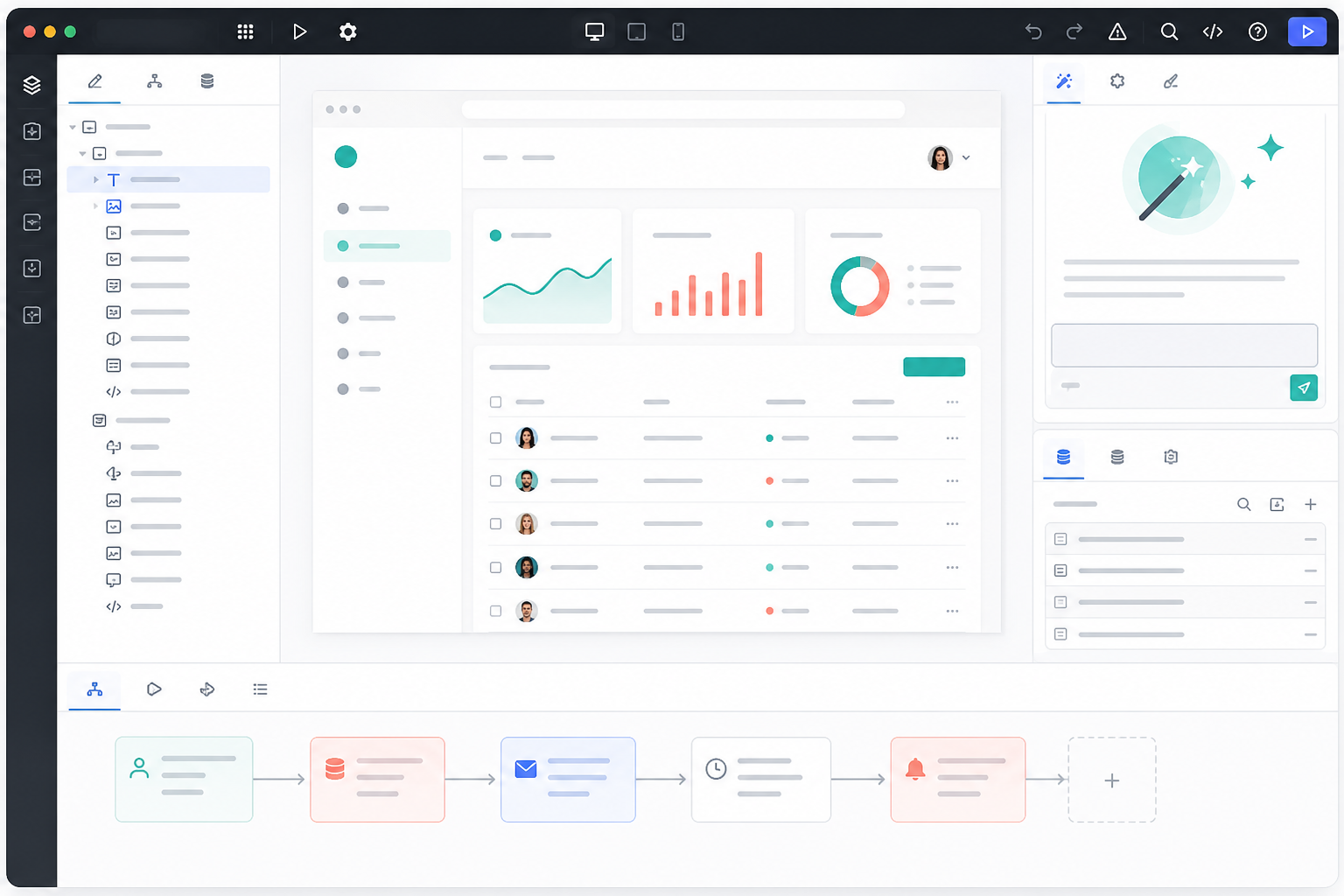
For founders, creators, agencies, and non-technical builders, Bubble is one of the most complete platforms for turning an app idea into a working product. The latest Bubble feature set focuses on a simple promise: describe what you want, generate a working app, then keep full control through visual editing instead of being trapped inside code you cannot easily change.
If you want to try Bubble, use this referral link: Start building with Bubble.io. Disclosure: this is a referral/affiliate link, which may support DailyAIPedia if you sign up or purchase through it.
What is Bubble.io?
Bubble is an AI-powered no-code app builder for creating web apps and native mobile apps. Instead of writing frontend code, backend code, database queries, authentication flows, and deployment scripts manually, Bubble gives builders a visual editor where design, data, logic, privacy, integrations, and hosting live together.
The current Bubble positioning is very clear: it wants to help users go from prompt to product launch, not just prompt to prototype. That is an important difference for anyone who has tried AI coding tools and then struggled to maintain or debug generated code afterward.
1. AI app generation: from idea to working prototype
Bubble’s AI app builder lets you describe an app idea in plain language and generate a working starting point. According to Bubble’s official features page, the AI can build an app with UI, database, and logic already connected. That means you are not only getting static screens. You are starting with pages, data types, and workflows that can be customized inside the editor.
This is useful for common startup and business ideas such as SaaS dashboards, marketplaces, internal tools, booking systems, AI tools, directories, portals, CRMs, and community platforms. Instead of beginning with a blank canvas, Bubble gives you a structured first version that you can inspect and improve.
2. Bubble AI Agent: edit the app by chatting
Bubble’s AI Agent is one of the most important updates to the platform. It works inside the Bubble editor and can help edit design, logic, data, and app behavior from a chat prompt. The key advantage is transparency: Bubble shows the changes inside the visual editor, so builders can see what changed and continue editing manually when needed.
Bubble says the Agent can add features, troubleshoot errors, help users understand their apps, work with reusable components, create data types and fields, generate privacy rules, and connect apps to third-party services through APIs. This makes Bubble especially relevant for people who like AI speed but still want control over the final app.
3. Native mobile apps are now a major Bubble feature
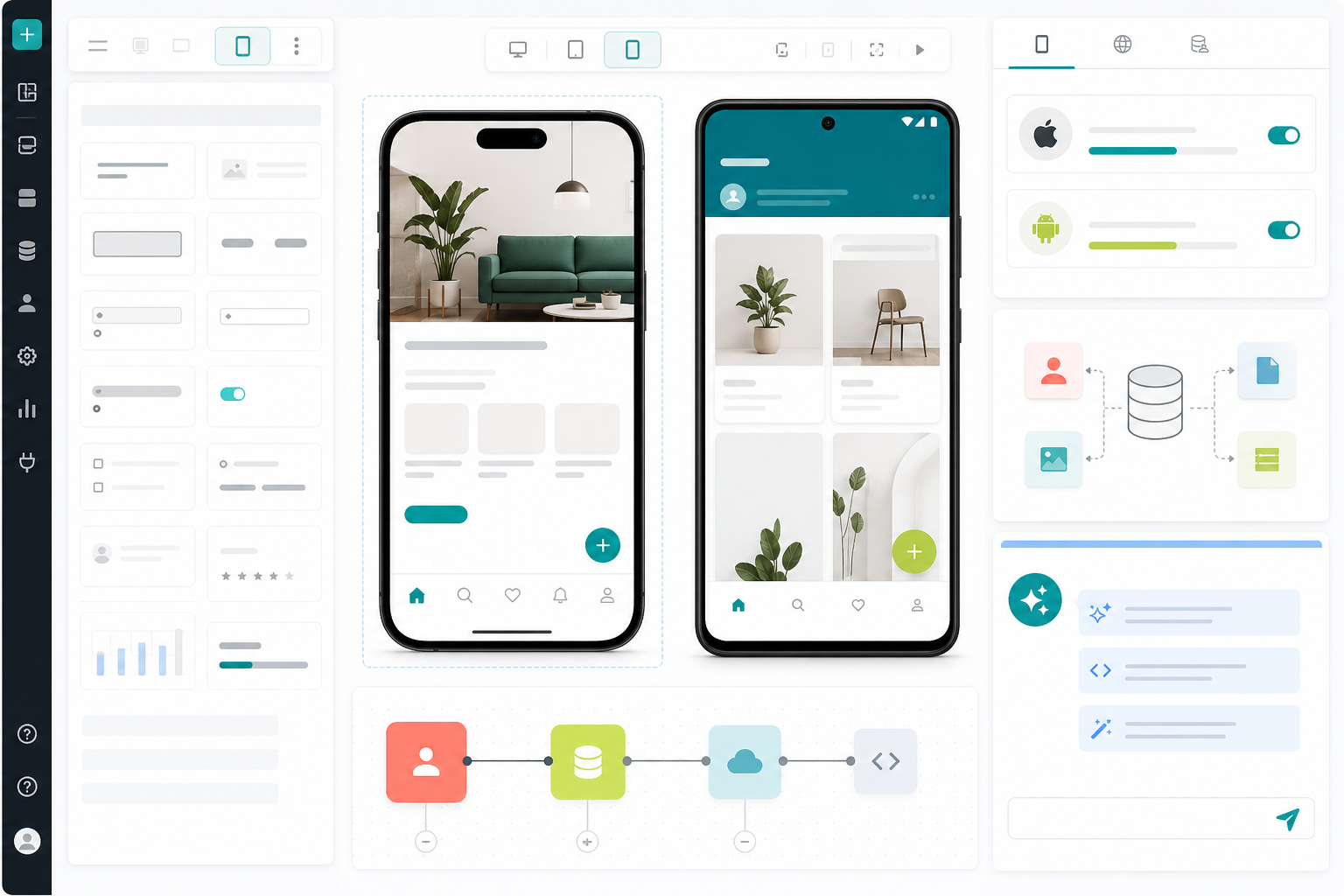
Bubble’s native mobile builder is currently in beta, but it is now a major part of the platform story. Bubble says users can design, build, and publish iOS and Android apps without code. The mobile builder uses true native app patterns rather than simply wrapping a web page, with mobile-specific UI elements, gestures, and device features.
The August 2026 Bubble AI Agent mobile update is especially important: Bubble says the AI Agent can now fully build and edit native mobile apps, including workflows and data, not just mobile UI. Web and mobile apps can also share the same backend, database, logic, and integrations inside one Bubble project.
4. Built-in database and privacy rules
Bubble includes a built-in database, which is one reason it feels closer to a full-stack development platform than a simple page builder. Users can define data types, fields, relationships, searches, and records visually. Bubble also lets builders create privacy rules for each data type, helping control who can read, create, or modify information.
For practical app development, this matters a lot. A marketplace needs users, listings, orders, messages, and payments. A SaaS product needs accounts, dashboards, usage data, roles, and subscriptions. Bubble gives non-developers a way to model these pieces without setting up a separate database server.
5. Visual workflows for real app logic
Bubble’s workflow builder lets users create app logic visually: signups, checkout flows, email triggers, scheduled tasks, database updates, API calls, notifications, and custom user journeys. Bubble describes this as logic and automation that builders can see and control.
This is where Bubble separates itself from simpler landing-page builders. A Bubble app can respond to user actions, save data, trigger automations, process payments, and connect to external APIs such as Stripe, OpenAI, Anthropic, and many other services.
6. Design control, templates, and Figma import
Bubble supports drag-and-drop design, responsive layouts, reusable elements, design systems, templates, components, and Figma import. Builders can start with AI, import a design direction, use templates, or create a custom interface from scratch.
The important part is that the design stays connected to real app behavior. Buttons, inputs, dashboards, lists, and forms can connect directly to workflows, database queries, API calls, and user permissions.
7. Security, hosting, and scale
Bubble includes hosting, security controls, privacy rules, and deployment tools. Its official features page says Bubble apps run on infrastructure trusted by more than 6 million builders, and that Bubble includes security checks for exposed data, misconfigured privacy rules, and other vulnerabilities before launch.
Bubble also highlights SOC 2 Type II compliance, GDPR standards, encryption in transit with TLS, and encryption at rest with AES-256. Enterprise features such as SSO and advanced DDoS protection are available on higher plans.
8. Collaboration and version control
For teams, Bubble includes collaboration features such as branches, version history, changelogs, permissions, and controlled deployment. This lets agencies, startups, and product teams experiment with features without immediately changing the live app.
That matters when a no-code app grows beyond a personal project. Teams need a way to review changes, separate experiments from production, and control who can access sensitive parts of the editor or database.
Who should use Bubble?
- Founders who want to validate SaaS, marketplace, AI app, or internal tool ideas quickly.
- Agencies building client apps without maintaining custom code for every project.
- Creators who want portals, directories, membership tools, or paid communities.
- Small businesses that need custom workflows, dashboards, forms, and automations.
- Product teams that want faster prototypes but still need database, logic, and launch control.
Pros and cons
Pros
- AI generation can create a working starting point from a prompt.
- Visual editing keeps the app understandable after AI creates it.
- Database, workflows, APIs, hosting, security, and deployment are built in.
- Native mobile app development is now part of the Bubble platform.
- Good fit for SaaS tools, marketplaces, dashboards, portals, and business apps.
Cons
- There is still a learning curve for database design, workflows, and privacy rules.
- Complex apps require careful structure, even without code.
- Native mobile and the AI Agent are still beta areas, so builders should test thoroughly before launching.
- Advanced scale, team controls, and enterprise needs may require paid plans.
Final take
Bubble.io is one of the strongest AI development platforms for people who want to build real applications without writing traditional code. Its biggest strength is the combination of AI speed and visual control: you can generate an app quickly, but you can also inspect and edit the design, database, logic, workflows, and permissions yourself.
If you are building a SaaS product, AI tool, marketplace, client portal, internal dashboard, or native mobile app, Bubble is worth testing.
Try it here: Bubble.io referral link