Custom GPTs Are Being Retired: Dates, What Transfers, and What You Rebuild
Deadline: you can no longer create new custom GPTs after 25 September 2026, and existing ones stop running on 11 December 2026. Every date and detail below comes.
Deadline: you can no longer create new custom GPTs after 25 September 2026, and existing ones stop running on 11 December 2026. Every date and detail below comes from OpenAI’s own Custom GPT retirement and migration FAQ, read on 18 September 2026.
OpenAI is retiring custom GPTs. They are being replaced by plugins, and the migration is not a rename — some of what you built transfers automatically, and some of it you will have to rebuild by hand. If you have a GPT that people use, the work starts now, because the window to create anything new closes in a week.
The dates that matter
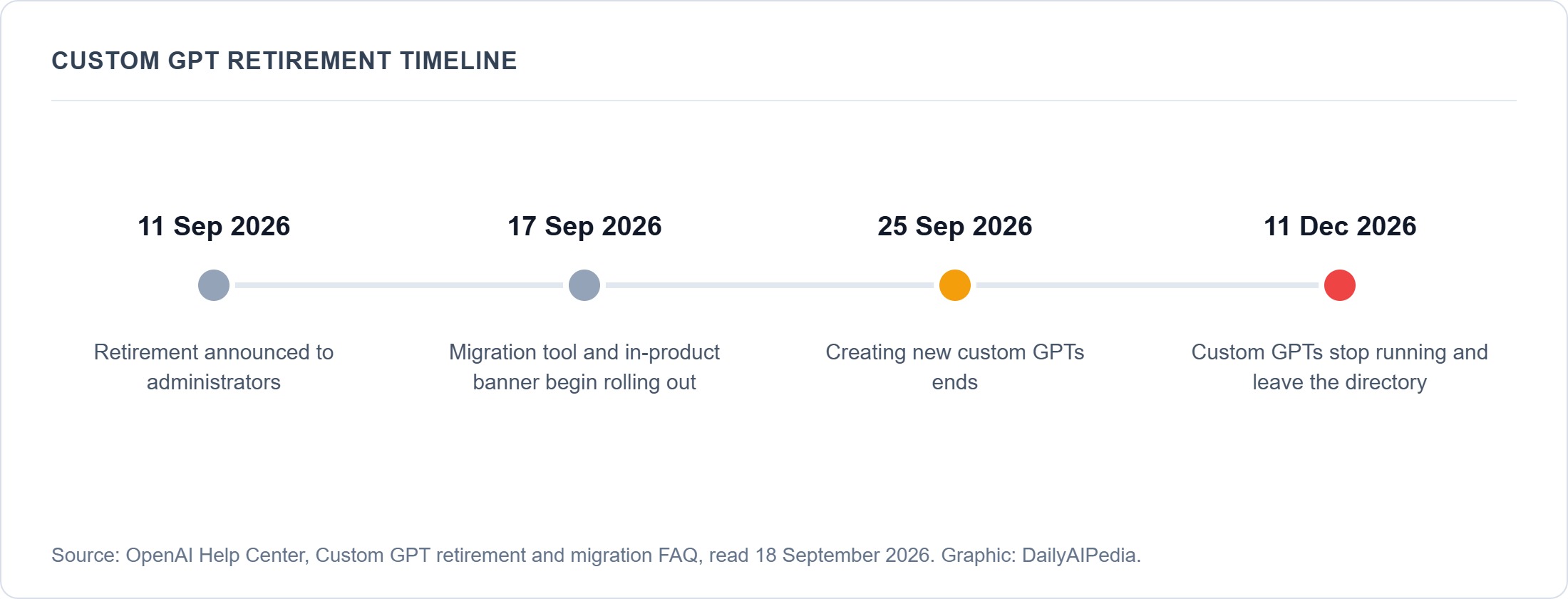
| 11 September 2026 | Retirement announced to administrators. |
| 17 September 2026 | Migration experience and in-product banner begin rolling out. |
| 25 September 2026 | Creating new custom GPTs ends. |
| 11 December 2026 | Custom GPTs stop running and leave the GPT directory. |
OpenAI describes the 17 September date as targeted and subject to change. The other three are stated as scheduled.
What transfers, and what you rebuild
This is the part worth reading twice. The migration tool moves some things and quietly leaves others behind.
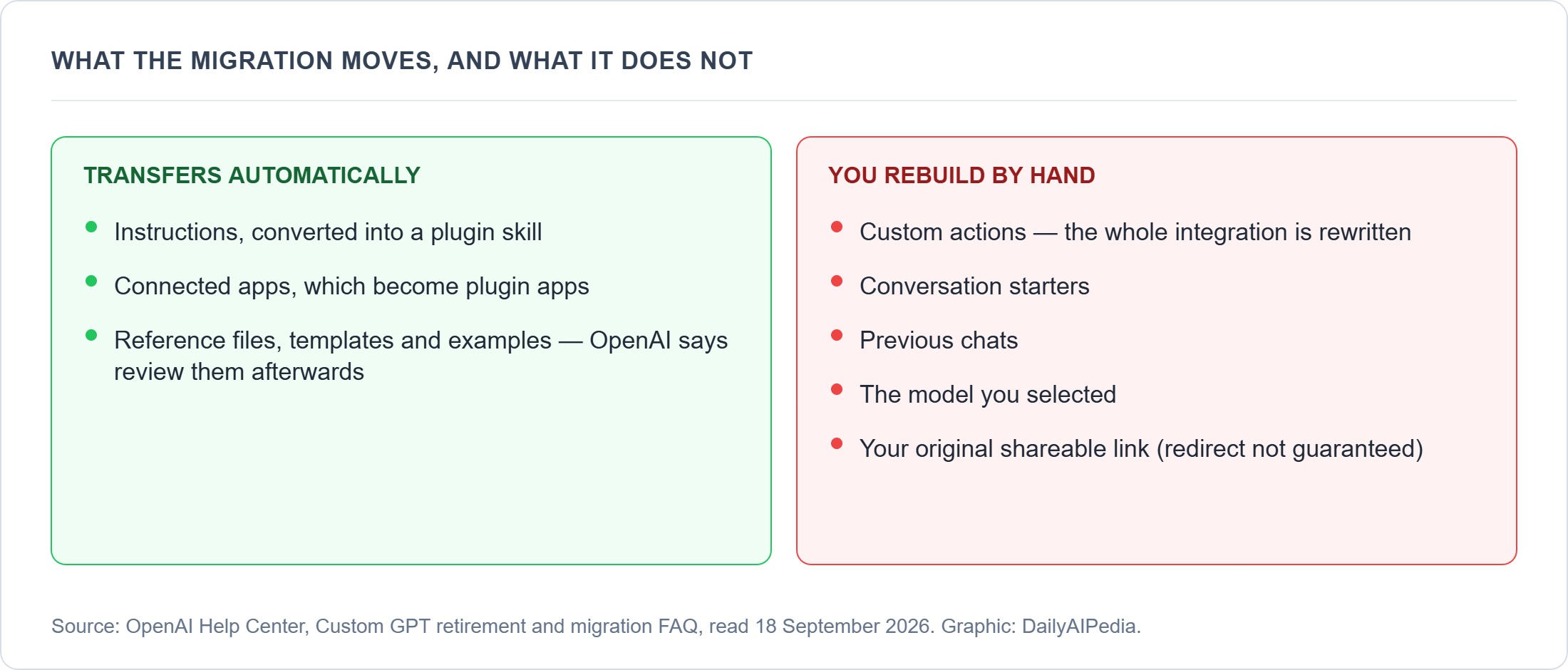
| What you built | What happens |
|---|---|
| Instructions | Converted into a plugin skill. Transfers. |
| Connected apps | Become plugin apps. Transfers. |
| Reference files, templates and examples | Transfer, but OpenAI says they need review afterwards. |
| Custom actions | Do not transfer. You rebuild them. If your GPT calls an external API, this is your real migration project. |
| Conversation starters | May not copy across. |
| Previous chats | May not copy across. |
| The model you chose | Does not carry over. |
| Your GPT’s shareable link | May redirect to the replacement plugin for people who have access, but OpenAI does not guarantee it. |
Three things that catch people out
1. The original becomes read-only, and you cannot delete it. Once you migrate, the old GPT is frozen in place. Plan for the fact that a stale copy sticks around until December.
2. The replacement plugin starts private. In Enterprise workspaces it needs its own sharing permissions. A GPT that your whole team used will not automatically be available to them again — that is a separate step someone has to remember.
3. Custom actions are the whole job. If your GPT was mostly a prompt plus a knowledge file, migration is close to automatic. If it called your CRM, your database or any external API, that integration is being rewritten, not moved. Scope it accordingly.
What to do this week
- Inventory what you have. Open your GPTs list and write down which ones are actually used. Most people have several experiments and one or two that matter.
- Export your instructions now. Copy the instruction text of every GPT you care about into a document you control. It should transfer, but a copy costs you five minutes.
- Save your knowledge files. Same reasoning. If you no longer have the originals of the files you uploaded, download them.
- Document your custom actions. Schema, endpoints, auth method. This is the part you are rebuilding, and rebuilding from memory is miserable.
- Decide before 25 September whether you need one more. If a new GPT is on your list, that is the last date you can create one.
Is a plugin actually better?
On the evidence so far, plugins are the more capable format — they are what OpenAI has been shipping around all year, including the Data agent for ChatGPT Work, and in September OpenAI extended plugins to support multiple account connections on all paid plans. Custom GPTs were a 2023 idea: a prompt, some files, and an optional API call, shared through a directory. Plugins sit closer to the assistant’s own tooling.
That does not make the transition free. If you published a GPT that people found through the directory, you are losing a distribution channel, and OpenAI has not described a replacement for discovery. That is a real cost and it is worth saying plainly rather than pretending the swap is neutral.
The bottom line
Two dates: 25 September to create anything new, 11 December before the ones you have stop working. If your GPTs are prompts and files, the migration tool will handle most of it and you should still keep your own copies. If any of them call an external API through a custom action, treat this as a small development project and start it now rather than in December.
All dates and migration details verified against OpenAI’s Custom GPT retirement and migration FAQ on 18 September 2026. OpenAI describes some dates as subject to change; check the FAQ before relying on them.
Related guides
- Ads Are Coming to ChatGPT: Which Plans Show Them and What It Costs to Opt Out
- ChatGPT Work Data Agent Review 2026: Connect Business Data and Build AI Dashboards
- ChatGPT vs Claude vs Gemini: Which One Should You Use?
- OpenAI Agents API Review 2026: Build Long-Running Cloud Agents with Codex and Subagents
- ChatGPT pricing October 2026: the new $500 Pro tier and every published limit