Video Blackout Review 2026: Free Offline Face and Plate Redaction for Windows, $29 to Drop the Watermark
Disclosure: Video Blackout submitted its tool to DailyAIPedia. It did not pay for this article or see it before publication, and we have no affiliate link for it..

Disclosure: Video Blackout submitted its tool to DailyAIPedia. It did not pay for this article or see it before publication, and we have no affiliate link for it. Prices and features were read off Video Blackout’s own website on 7 November 2026 (screenshots below). We have not tested it hands-on yet; we’ve asked for test access and will add results here.
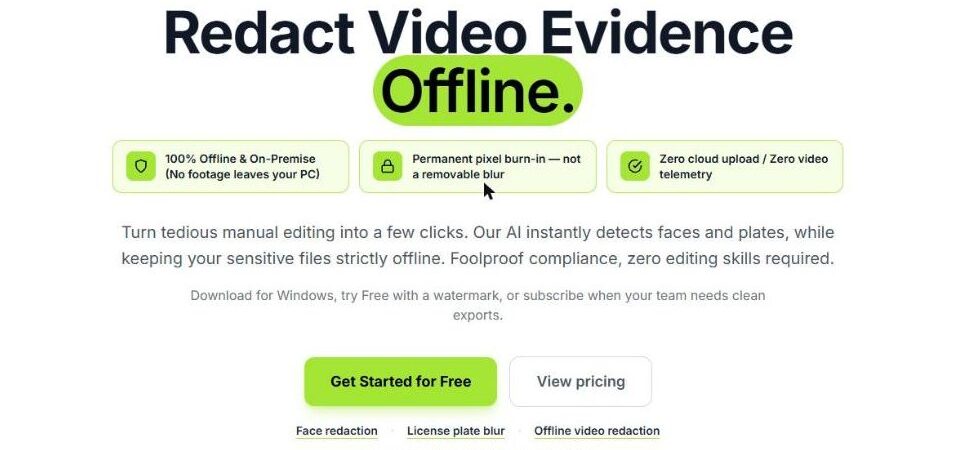
Bodycam clips, CCTV, dashcam footage and anything released under FOIA or a GDPR access request has the same problem: faces and number plates have to go before the video does. Most AI redaction tools are cloud services, which is exactly what many evidence and legal teams aren’t allowed to use. Video Blackout is built around that: the AI runs on your Windows PC and the footage never leaves it.
The short version
What it does: auto-detects faces and license plates, lets you review every box, add your own, and mute or beep audio ranges.
Where it runs: offline on Windows 10 or 11; the company says no footage is uploaded and no internet is needed after install.
Output: a new H.264 MP4 with mosaic, blur or solid fill written into the frames. Your original file is left untouched.
Price: free with a watermark (single videos, 10 minutes max); $29/month Basic, $69/month Pro, or $450/year.
Limits: no Mac version, no automatic speech redaction, and only faces and plates are detected automatically.

How it works
- Install and activate. Install on Windows 10 or 11 and, for paid plans, bind a licence to the PC that will process footage (licences are tied to a hardware ID).
- Detect and review. Open a local video, run face and/or plate detection, and review every proposed box before anything is burned in.
- Mark what the AI misses. Draw boxes over badges, screens or missed faces, and mark audio ranges to mute or beep.
- Export a release copy. Video Blackout writes a new MP4 with the redaction baked into the pixels and the marked audio rewritten. The original stays as your record.
Video Blackout pricing
| Plan | Price | Devices | What you get |
|---|---|---|---|
| Free | $0 | – | Single video, up to 10 minutes, large watermark; face and plate detection, manual boxes and audio ranges |
| Basic | $29/month | 1 | No watermark; single video, up to 10 minutes |
| Pro | $69/month | 2 | Batch folder processing, unlimited video length, no watermark |
| Annual | $450/year | 2 | Same as Pro, billed yearly (about $37.50/month) |
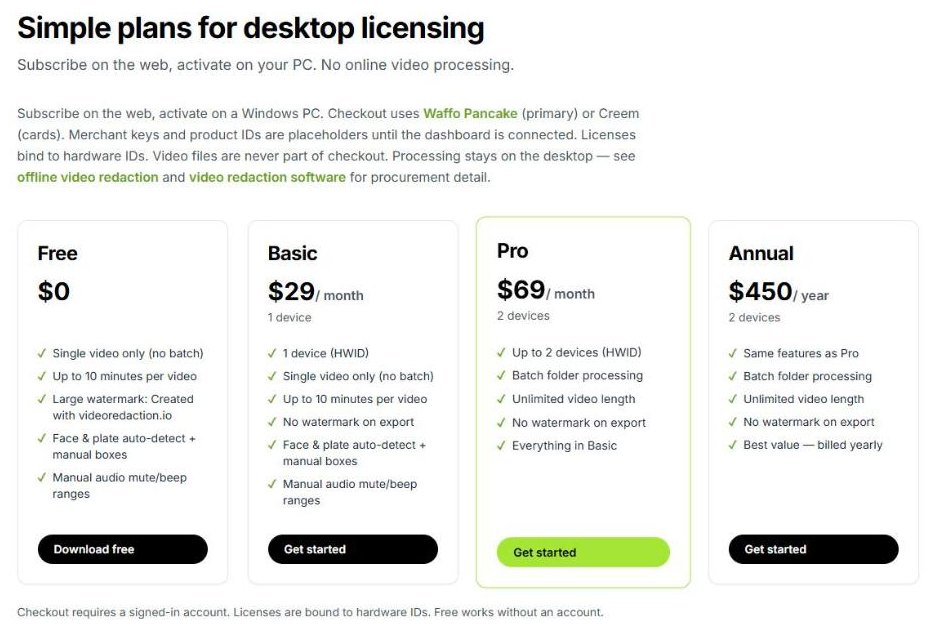
Two details from the pricing page worth knowing. The 10-minute cap on Free and Basic is per video, so long bodycam or CCTV files need Pro. And when we checked, the page itself said its payment “merchant keys and product IDs are placeholders until the dashboard is connected”, which suggests paid checkout may still be being set up. The free version doesn’t need an account.
What stands out
- Offline by design. For evidence, attorney-client material or footage under data-protection rules, keeping files off third-party servers is often a requirement, not a preference.
- Human review before burn-in. Every AI box is shown for approval, and you can add your own. That matters, because no detector catches every face in poor light or at odd angles.
- Permanent output, untouched original. The release copy has the redaction written into the frames; the source file stays as your system of record.
- Audio handled too, though manually: you mark the ranges to mute or beep.
What to watch
- Windows only. There is no Mac or Linux version.
- Only faces and plates are automatic. Names on screens, documents and badges need manual boxes, and there is no speech-to-text, so spoken names have to be found by ear.
- Blur vs solid fill. The company says its blur and mosaic can’t be peeled off because the pixels are rewritten. For the strongest assurance on sensitive releases, we’d still use solid fill, which removes the area completely.
- Detection accuracy is untested by us. How well it finds small, distant or side-on faces is the thing to check on your own footage with the free version.
Who it’s for
Police and public-records teams handling FOIA requests, lawyers and investigators sharing video evidence, security teams releasing CCTV clips, and companies answering GDPR subject-access requests. If your footage is allowed in the cloud and you edit on a Mac, a cloud editor will be more convenient. If it isn’t, Video Blackout is aimed squarely at you.
Verdict
Video Blackout does one job, offline: AI finds faces and plates, a person checks the result, and the export is burned in for good. The free version is enough to see how well detection works on your footage before paying. Watch the 10-minute cap on the cheaper plans, and treat speech and on-screen text as manual work.
Sources, read 7 November 2026: Video Blackout homepage and FAQ, Video Blackout pricing.
FAQ
Is Video Blackout free?
There is a free version: one video at a time, up to 10 minutes, with a large “Created with videoredaction.io” watermark on the export. Paid plans start at $29 a month to remove the watermark.
Does Video Blackout upload my footage?
The company says no: the Windows app processes local files on your PC, and the website only handles accounts, billing and downloads. It says no internet connection is needed after install.
What can it detect automatically?
Faces and license plates. Badges, screens and paperwork have to be boxed by hand, and audio is muted or beeped over ranges you mark yourself; there is no speech recognition.
Can the redaction be removed later?
Video Blackout says the export rewrites the pixels themselves rather than adding an overlay. If you need the strongest guarantee, use solid fill, which overwrites the area completely.
Does it work on Mac?
No. It is Windows 10 and 11 only, and exports H.264 MP4.